

1.23.26 – Support and Resources During Winter Storm Fern

Support and Resources During
Winter Storm Fern
Friday, January 23, 2026
A powerful winter storm will move across the South, Midwest, and Northeast from today through Monday, bringing hazardous ice and heavy snowfall. If you need assistance, the following resources are available to help support you.
Contacting Management for Help in our Bases
American’s new Inflight management structure was created to place management where Flight Attendants actually work—in the terminals and at the gates. During IROPs, that presence is critical. Management must be prepared to deliver support and assistance with issues that come with IROPS, such as rescheduling, legalities, and hotel and transportation disruptions. Management must be accountable for supporting their Flight Attendants.
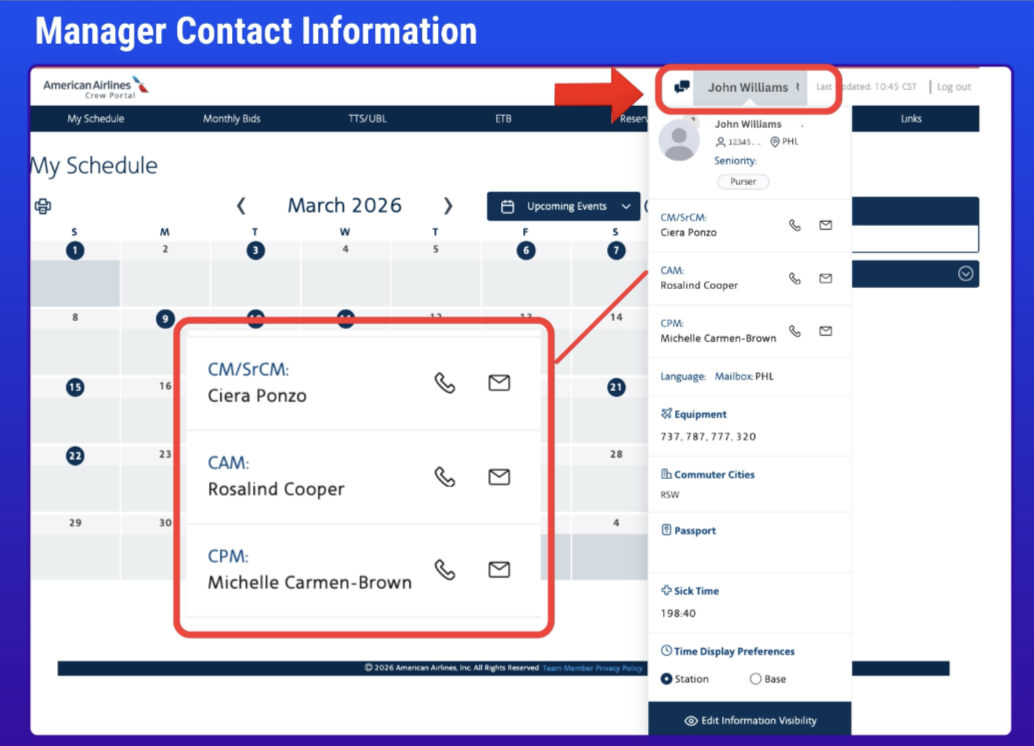
I need help from my manager. Where can I find contact information for my managers?
You can locate a list of your managers by logging into Crew Portal and clicking on your name. A dropdown with your managers contact information will be located in the dropdown (click image to enlarge):
I’m not sure which manager I should contact for my question. Can you help clarify?
- Sr. Crew Managers will serve as your primary contact for all questions and issues not related to attendance or performance. In BOS and LGA, your Base Manager will serve as your Sr. Crew Manager. These managers should be available primarily at the gates and in the terminals.
- Inflight Operational Coordinators, formerly known as MODs or Duty Managers, will also be present in the gates and terminals to assist you with day-to-day work issues, along with Sr. Crew Managers.
- Crew Performance Managers is a newly created role that will be your primary contact for all performance-related issues.
- Crew Attendance Managers will continue in their role addressing all attendance matters, Injury on Duty (IOD) questions, maternity, leaves of absence, and attendance policy questions.
To find a list of crew room locations in bases and co-terminals, crew room contact numbers and service hours, follow this path: Comply365 > My Publications > Collections > Document Library > Contact Information > Crew Room Location/Access Info + Contact Information.
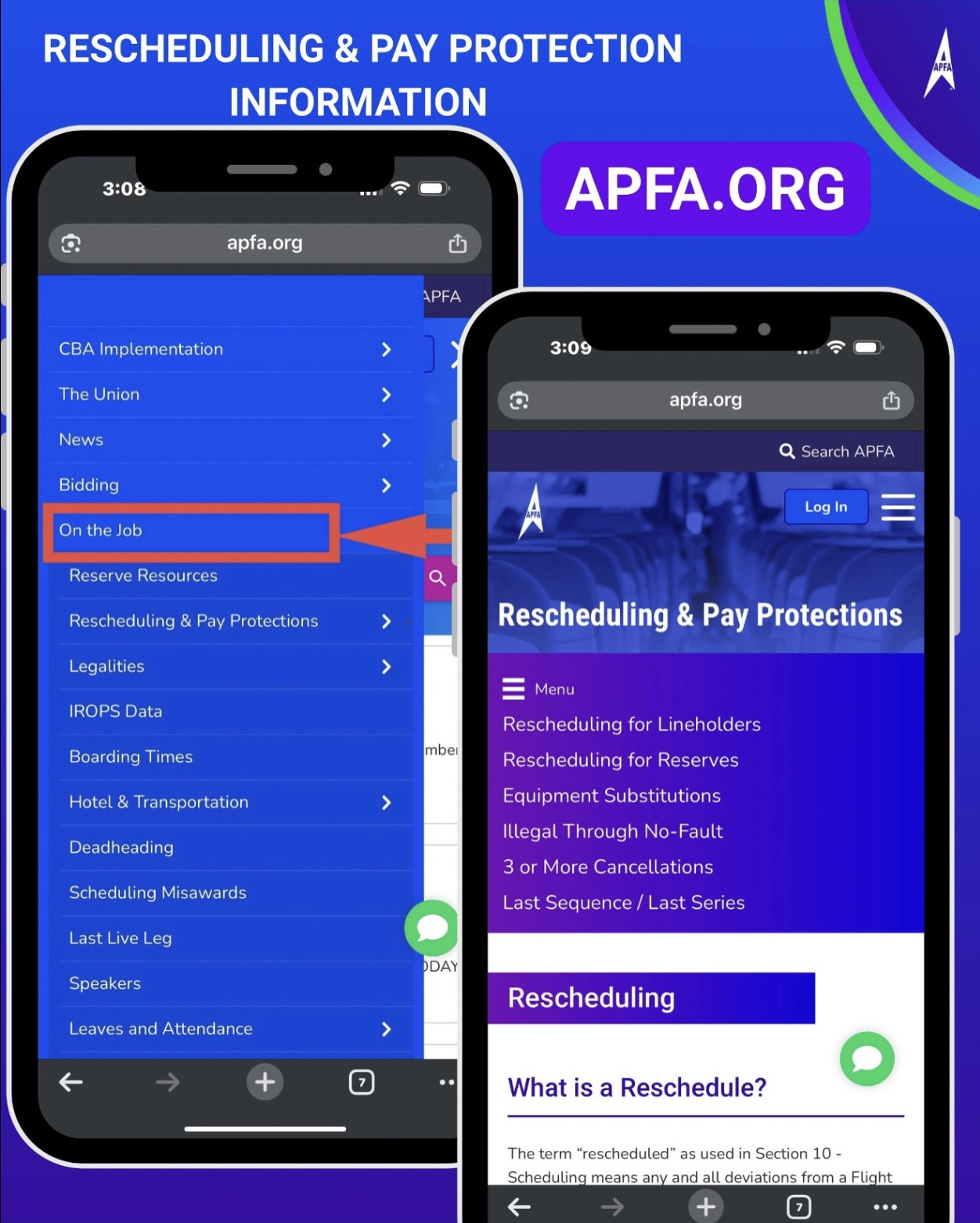
Mobile Online Support: ‘On the Job’ Tab at APFA.org
The ‘On the Job‘ tab on the landing page of APFA.org contains links to help answer time-sensitive questions when you’re out flying, and is easily accessed from your mobile device. Information on rescheduling and pay protections, as well as step-by-step instructions on how to calculate when you go illegal may be found here:
click image to enlarge
Are you canceled or rescheduled?
Our rescheduling language is broken down into different scenarios, including:
- Prior to Report: Full sequence cancellation
- Prior to Report: The first leg(s) of your trip has cancelled, and your sequence has a deadhead or live segments remaining.
- Prior to Report: First segment(s) cancelled, no notification from crew scheduling.
- After Report but Prior to Origination: Sequence changes (prior to first flight).
- After Origination: Sequence changes.
- Last Sequence/ Last Series of Sequences for the month.
Click here for the Rescheduling & Pay Protections section of
APFA.org for Rescheduling Reminders
Using the Electronic Communication System (ECS) for Support
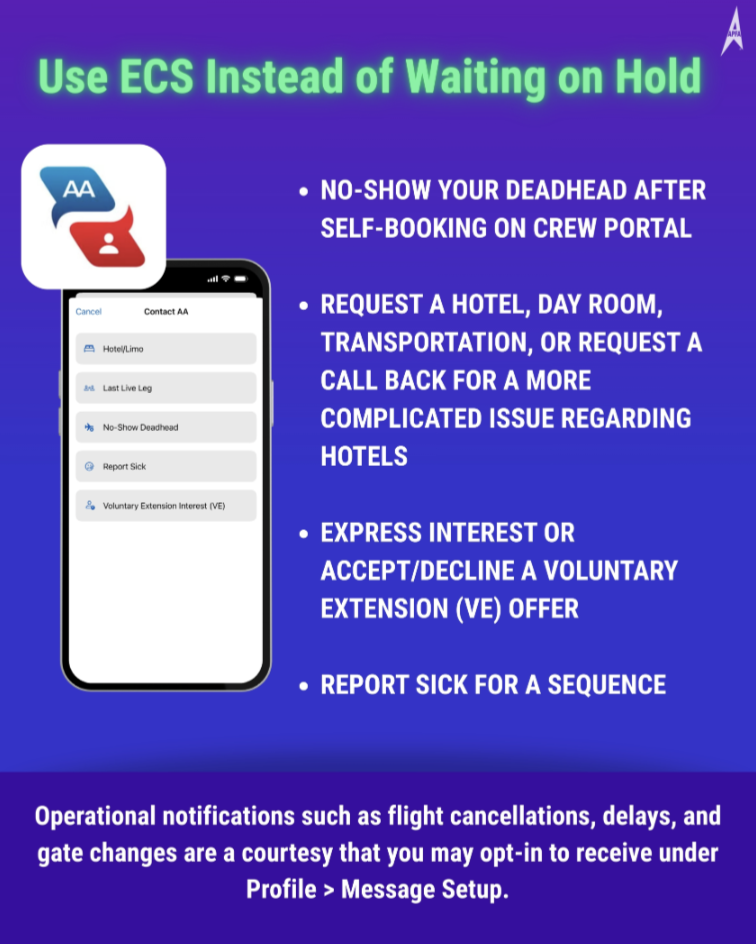
Should you have issues with hotel accommodations or transportation, we now have the ability to contact hotel/limo using the Electronic Communication System (ECS) as opposed to calling. Flight Attendants may use ECS to request a hotel room, transportation, or to report a more complicated issue and request a call-back for help. Please refer to Contract Implementation Update #32 for more information.
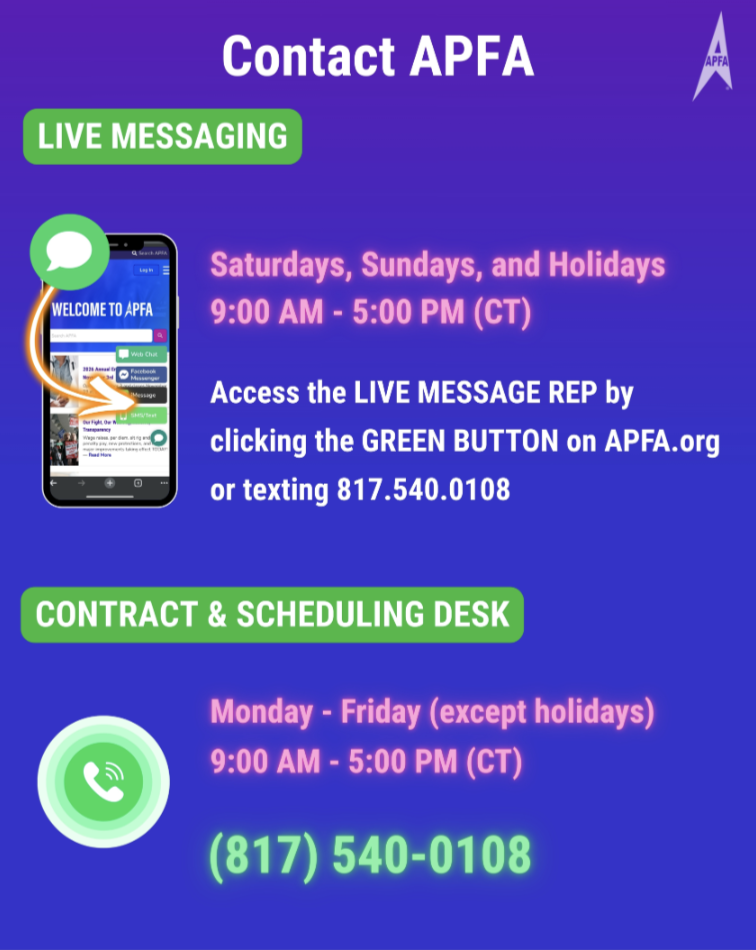
APFA Live Messaging and Phone Support
In Solidarity,
Jeff Petersen
APFA National Contract Chair
[email protected]
Marti McMillan
APFA National Scheduling Chair
[email protected]

APFA Headquarters
1004 West Euless Boulevard
Euless, Texas 76040
M-F: 9:00AM - 5:00PM (CT)
Phone: (817) 540-0108
Contract & Scheduling Desk
M-Th: 9:00AM - 5:00PM (CT)
Phone: (817) 540-0108
Live Chat Messaging
Fridays: 9:00AM - 5:00PM (CT)
Currently, no scheduled events...