

3.19.26 – Contract Implementation Update #54: Reserves in TTS and UBL

Thursday, March 19, 2026
Contract Implementation Update #54:
Reserves in TTS and UBL
One of the biggest enhancements for Reserves has arrived. Beginning March 20, 2026, Reserves will be able to submit TTS ballots for April sequences on scheduled days off!
What is TTS?
APFA.org has resources available when you have questions and a page dedicated to everything you need to know about TTS.
- The Trip Trade System (TTS) is the web based system for Flight Attendants to trade, drop, and pick up sequences.
- Accessed through Crew Portal
- Uses open time (company time) and other Flight Attendant’s requests
- TTS runs every night for sequences that depart anywhere from two days prior through the end of the bid month.
- Runs in seniority order
- TTS will continue to process requests in subsequent runs unless deleted by the Flight Attendant.
What is UBL?
The Unsuccessful Bidders List (UBL) runs immediately after TTS and will only process requests for sequences that originate on the current day and the next day in Open Time. UBL runs as needed throughout the day to cover open sequences as they become open for the current and next day.
Example: After TTS runs on Monday night (2300-0400HBT), the UBL will only process requests that involve Tuesday and Wednesday operations.
Are there any differences for Reserves?
Sequences from TTS on Reserve days off will need to follow the same rules as ETB sequences.
- On a day off following Reserve duty, may report no earlier than 1000 HBT
- On a day off prior to Reserve duty, must release no later than 1600 HBT
- Cannot create a 24 in 7 legality conflict with Reserve duties
- TTS sequences do not count towards a Reserves 35 in 7 legality calculation
What is a TTS Max and a Credit Window?
Your TTS Max is the maximum amount of sequence time you may receive from TTS. By default, a Reserve’s TTS Max will be 30 hours.
Your TTS Max may change based on ETB activity. Any time gained from ETB will increase your TTS Max while any time lost through ETB will decrease your TTS Max. Any Red Flag sequences gained from TTS will be treated similarly to ETB hours for your TTS Max and Credit Window.
TTS Max Example:
- ETB Pickup:
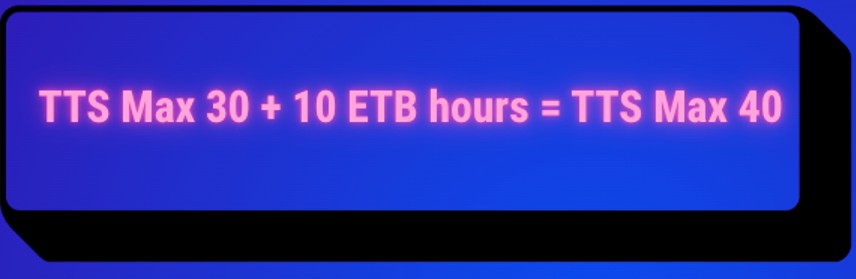
A Reserve starts the month with a 30 hour TTS Max. This Reserve uses ETB to pick up a 10 hour sequence through ETB. Their TTS Max will now increase by 10 hours to 40 hours. (TTS Max 30 + 10 ETB hours = TTS Max 40)
- ETB Drop:
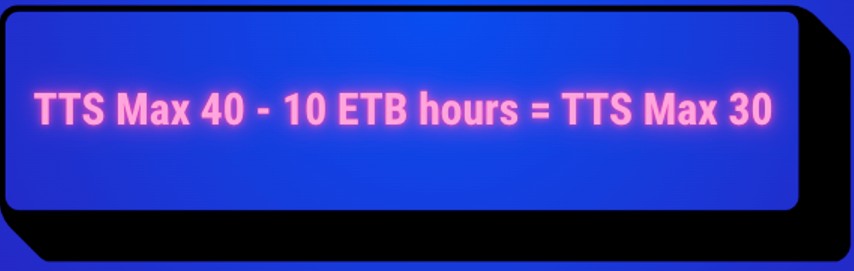
This same Reserve later drops the 10 hour sequence they picked up on ETB through ETB. Their Reserve TTS Max will now decrease by those 10 hours and now be 30 hours. (TTS Max 40 – 10 ETB Hours = TTS Max 30)
On Reserve, your Credit Window is the difference between your TTS Max and your PNC (pay no credit) hours. Any sequences originating on days off on Reserve are PNC and will go into your PNC column on your HI1 when on Reserve. When the month starts and you have no carry-in PNC time, your Credit Window will be 30 hours (TTS Max 30 – PNC 0 = 30 hours). Think of this as the amount of time you have available to pick up in TTS or UBL.
As you conduct TTS and ETB transactions throughout the month, your Credit Window will change. Remember, while ETB increases or decreases your TTS Max, TTS and UBL transactions do not. This means that any TTS and UBL transactions are using the hours available in your Credit Window.
Credit Window Example:
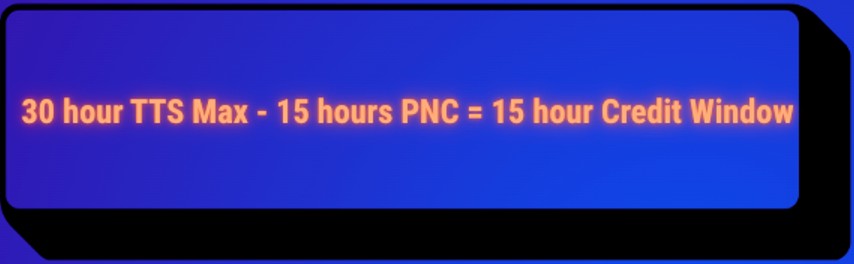
- A Reserve starts the month with a 30 hour TTS Max and 0 hours of PNC. They pick up a 15 hour sequence from TTS. Their TTS Max is not affected by a TTS pick up and their Credit Window is now 15 hours (30 hour TTS Max – 15 hours PNC = 15 hour Credit Window)
Now putting these two concepts together, here is an example of a Reserve using both ETB and TTS and how that affects their TTS Max and Credit Window.
Example:
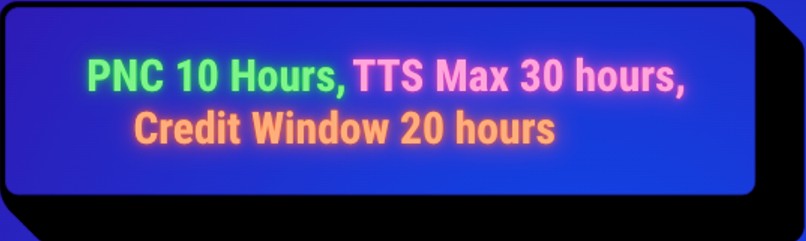
- A Reserve starts the month with no carry-in PNC and a TTS Max of 30 hours. In the first TTS run, they receive a 10 hour sequence. (PNC 10 hours, TTS Max 30 hours, Credit Window 20 hours).
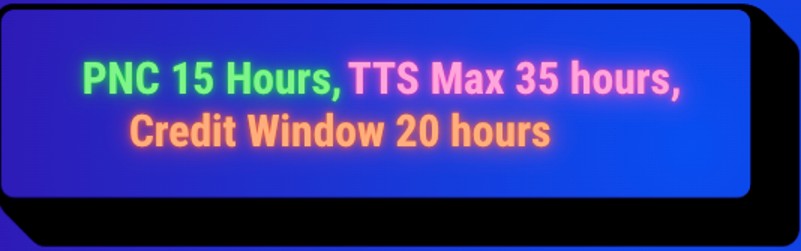
Next, they pick up an ETB sequence worth 5 hours. (PNC 15 hours, TTS Max 35 hours, Credit Window 20 hours).
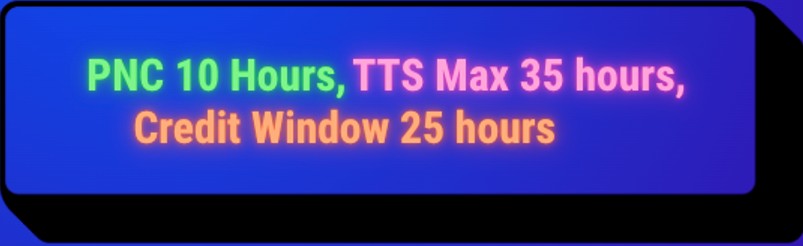
They then drop this ETB sequence in TTS. (PNC 10 hours, TTS Max 35 hours, Credit Window 25 hours).
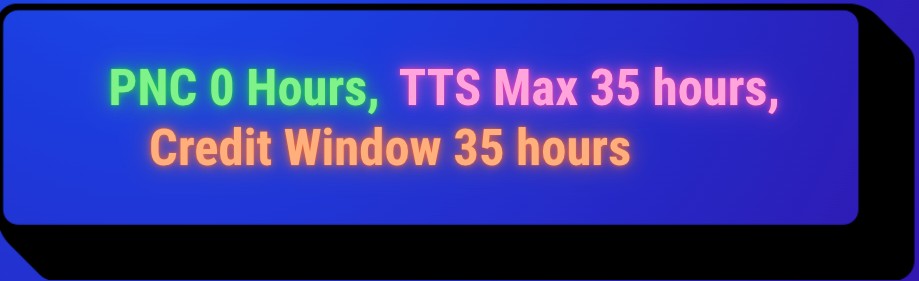
They then drop their TTS sequence in ETB. (PNC 0 hours, TTS Max 35 hours, Credit Window 35 hours).
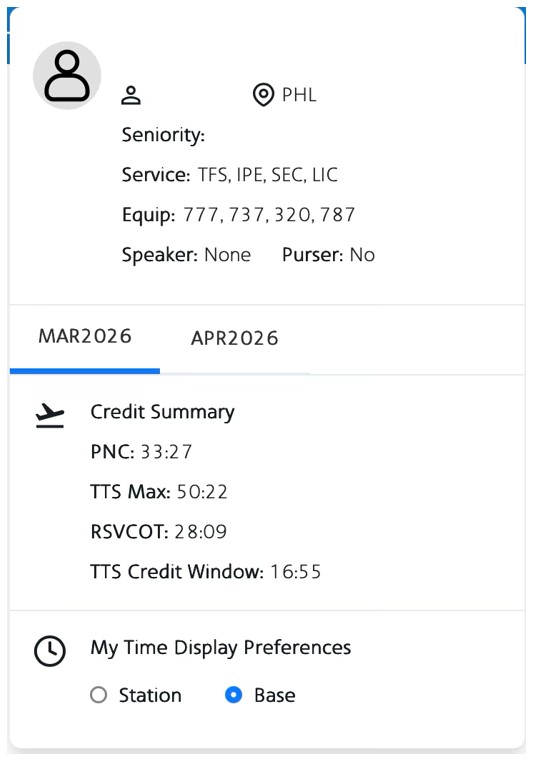
When in TTS, click your name in the top right corner to pull up your information panel. Your TTS Max, PNC, and Credit Window are displayed here under Credit Summary.
Join us for an Informational Session!
On Friday, March 20, 2026 at 1230 CT, the APFA CIC will be hosting an informational session to walk through entering a bid in TTS. We encourage you to join us to review key details in using the system to help you be successful in the first run for April.
Join the Microsoft Teams Meeting Here
Meeting ID: 257 523 840 490 41
Passcode: 8MX2ht6x
In Unity,
Kelly J. Hagan
LGA
Ashleigh Harbison
LAX
Hunter Meredith
PHL
Mike Sosa
DFW
APFA Headquarters
1004 West Euless Boulevard
Euless, Texas 76040
M-F: 9:00AM - 5:00PM (CT)
Phone: (817) 540-0108
Contract & Scheduling Desk
M-Th: 9:00AM - 5:00PM (CT)
Phone: (817) 540-0108
Live Chat Messaging
Fridays: 9:00AM - 5:00PM (CT)
Currently, no scheduled events...