

4.21.26 – Executive Committee Meeting Format Change

Executive Committee Meeting Format Change
&
How to Join the 2026 Q1 EC Meeting
Tuesday, April 21, 2026
At the 2026 Convention, the Board of Directors passed several policies to reduce Union operating expenses and streamline processes at APFA. These changes were the result of a year-long project in which the Constitution Review Committee reviewed a limited number of items in the Policy Manual and Constitution for the Board to review and decide on.
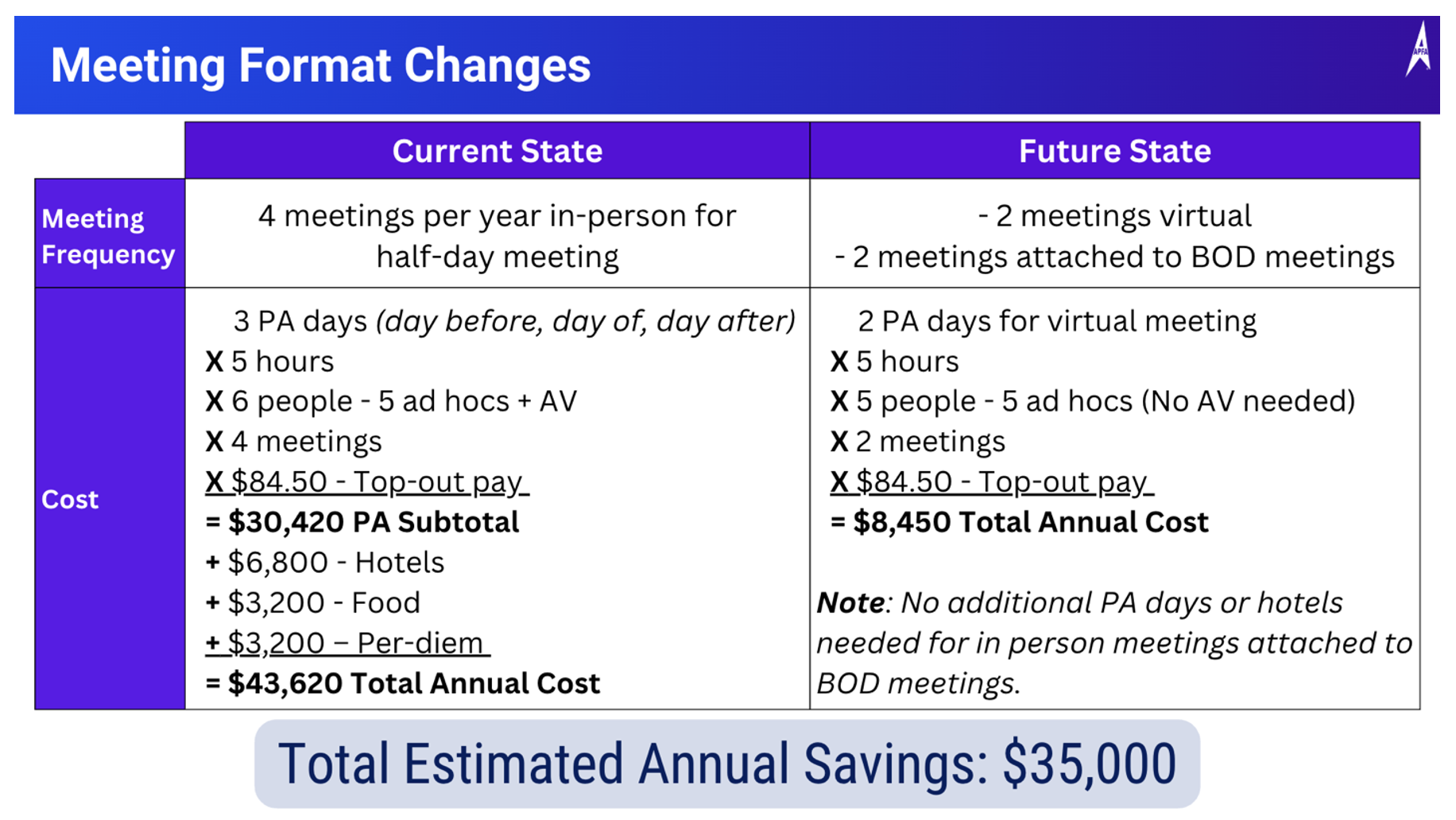
One of the Policy Manual changes passed involved reformatting the way Executive Committee meetings are held. Currently, the APFA Executive Committee holds four (4) quarterly in-person meetings at APFA headquarters. This half-day meeting incurs expenses for traveling, hotels, and other related items.
This policy change does the following:
- Prescribes that Q1 & Q2 meetings be held virtually.
- Prescribes that Q3 & Q4 meetings be held in-person, attached to the Fall Board meeting and Annual Convention.
- Permits members in good standing to view the virtual meeting.
Cumulatively, this change will yield approximately $35,000 in annual cost savings for these meetings. Below is a breakdown of the before-and-after expenses related to this change.
How to Join the 2026 Q1 EC Meeting
The 2026 First Quarter Executive Committee will begin at 10:00 CT tomorrow, April 22. To reduce operating costs at the Union, this meeting is being held virtually.
Below are the membership attendance rules in accordance with APFA Policy Manual Section 4.C:
- Before admission to the meeting, members will be required to confirm their identity and membership status by providing their name and employee number. Only members in good standing may be admitted.
- Members will be required to remain on video for the duration of their attendance and may be removed if their video feed is disconnected or if inappropriate/offensive conduct occurs on video.
- Upon written request, members may be yielded to in accordance with the rules set forth in Section 4.A.4.d. Members will remain muted until yielded to.
Joining via Cell Phone or Tablet (recommended format)
- Download the Microsoft® Teams App by clicking one of the options below:
<<<Apple App Store Click Here>>>
<<<Google Play Store Click Here>>>
**There is no phone dial-in information for this meeting.
- After downloading the Microsoft® Teams App, click here to join the meeting.
- Type in your name and employee number and click “Join now.” You will be placed in a waiting room to verify your membership status.
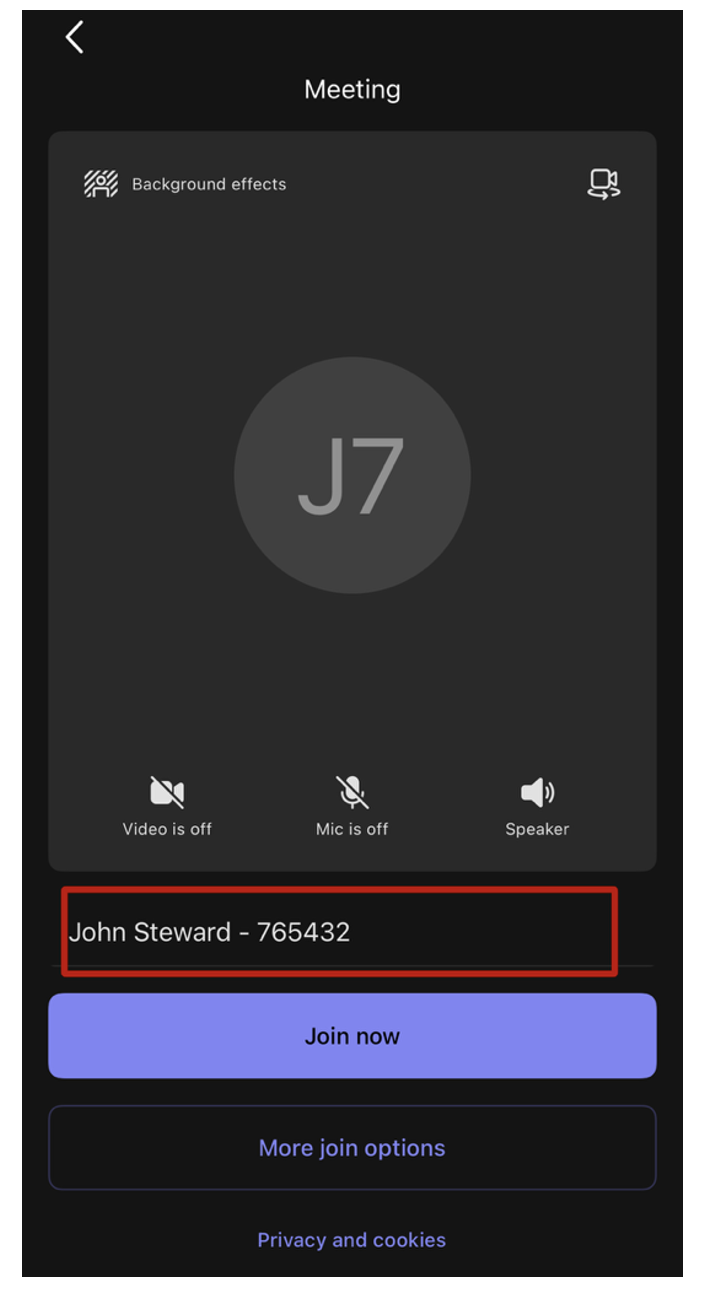
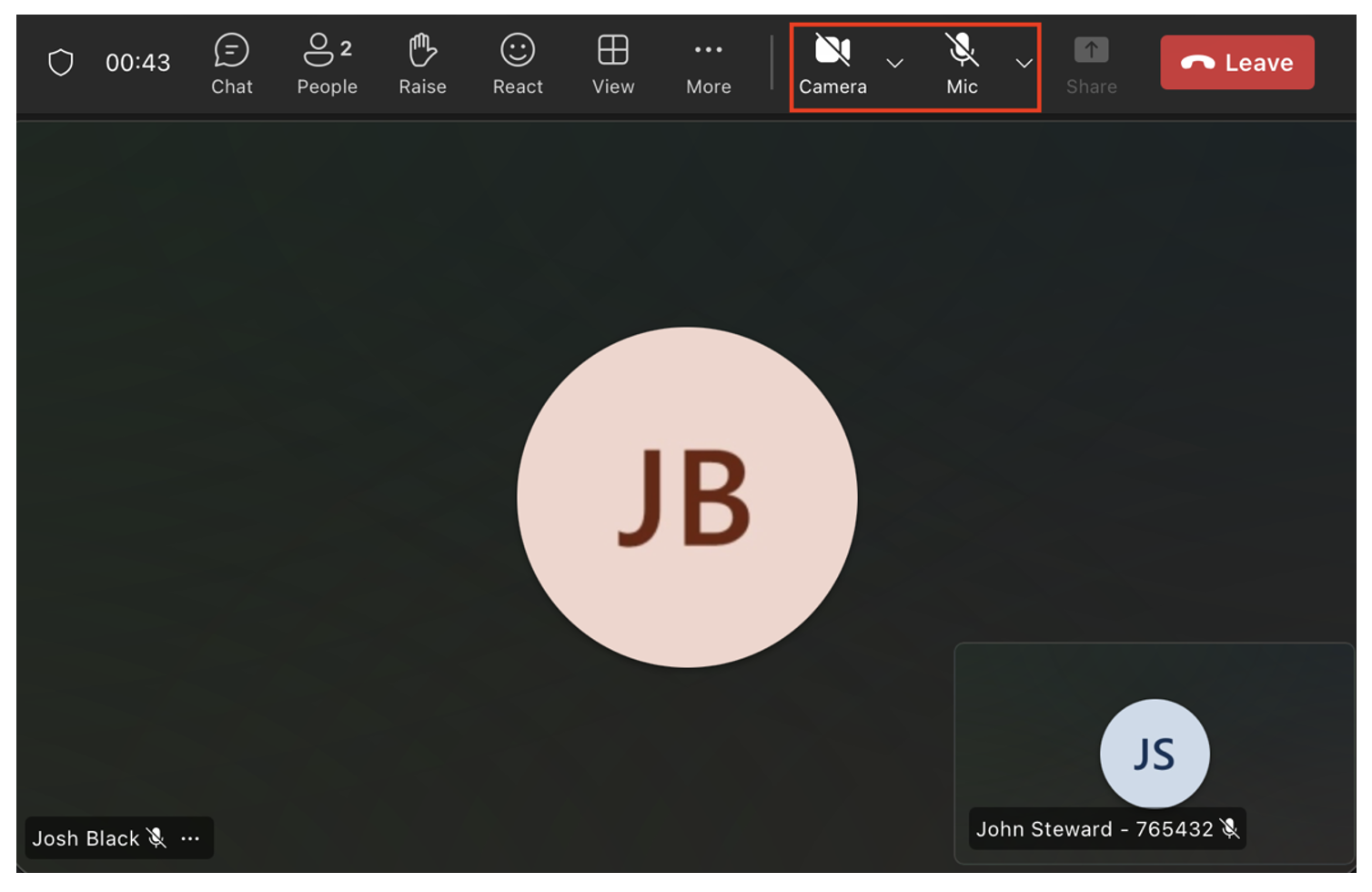
4. Turn on your video and microphone to verify your membership status with the APFA staff member. Once your status has been verified, you’ll be placed into the meeting, and your microphone will be disabled. As if you were attending the meeting in person, please keep your video feed on for the duration of the meeting.
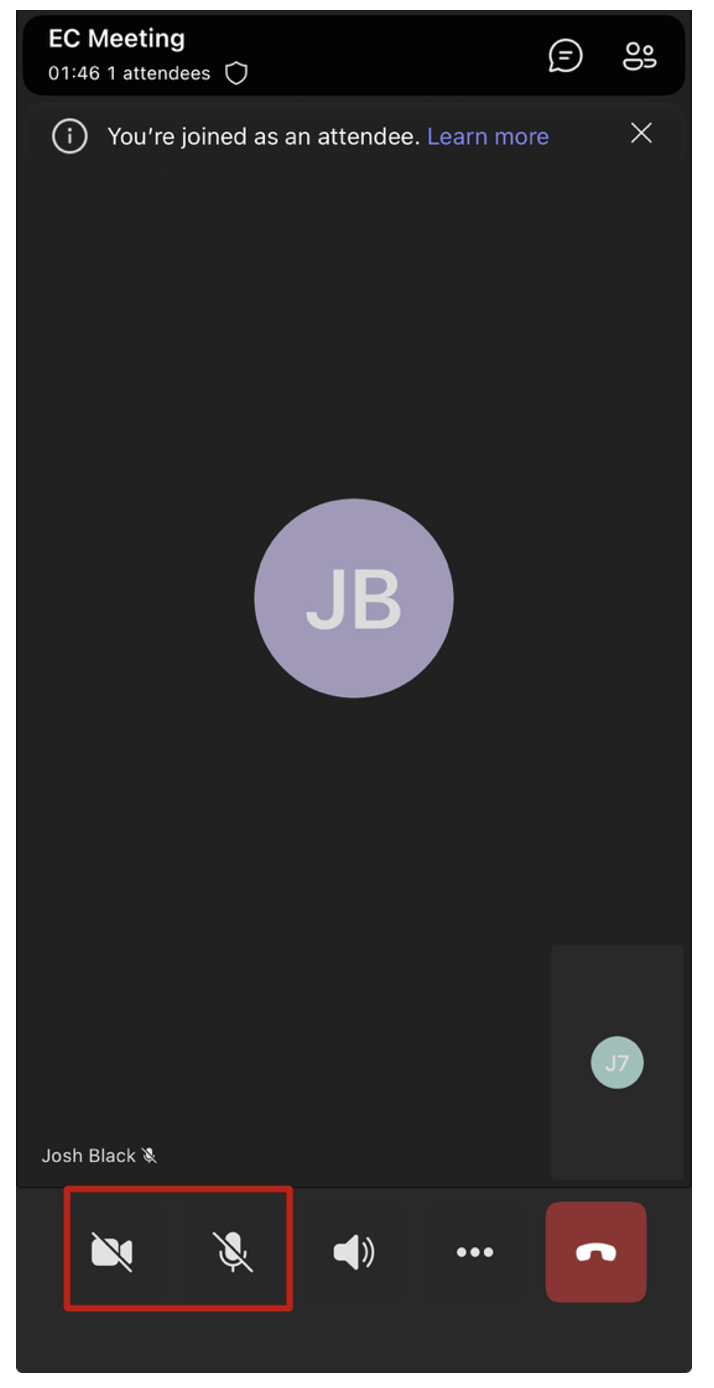
**You may need to accept permissions on your device to allow the video and microphone.
Joining via web browser
- Click here to join the meeting
- Select “Continue on this browser.”
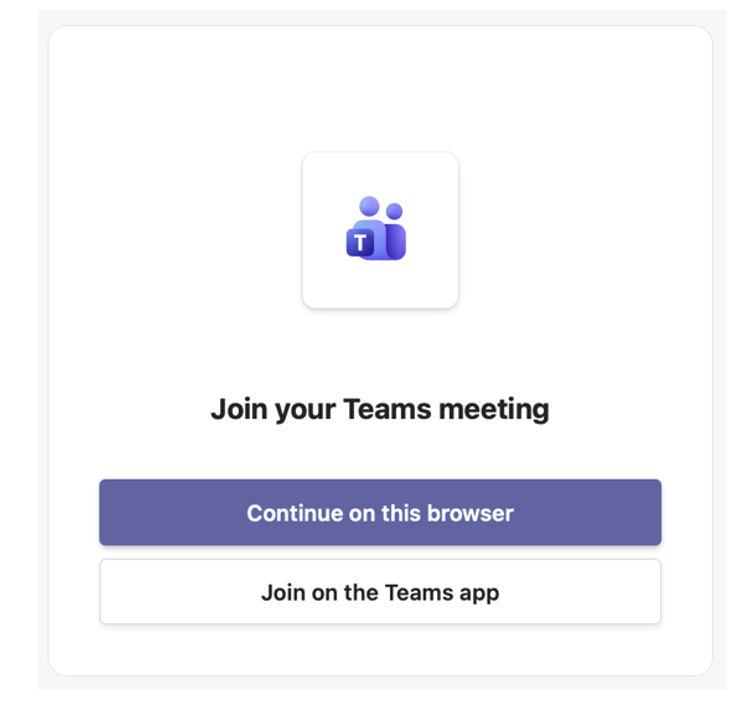
3. Allow use of the microphone and camera when prompted.
4. Type in your name and employee number and click “Join now.” You will be placed in a waiting room to verify your membership status.
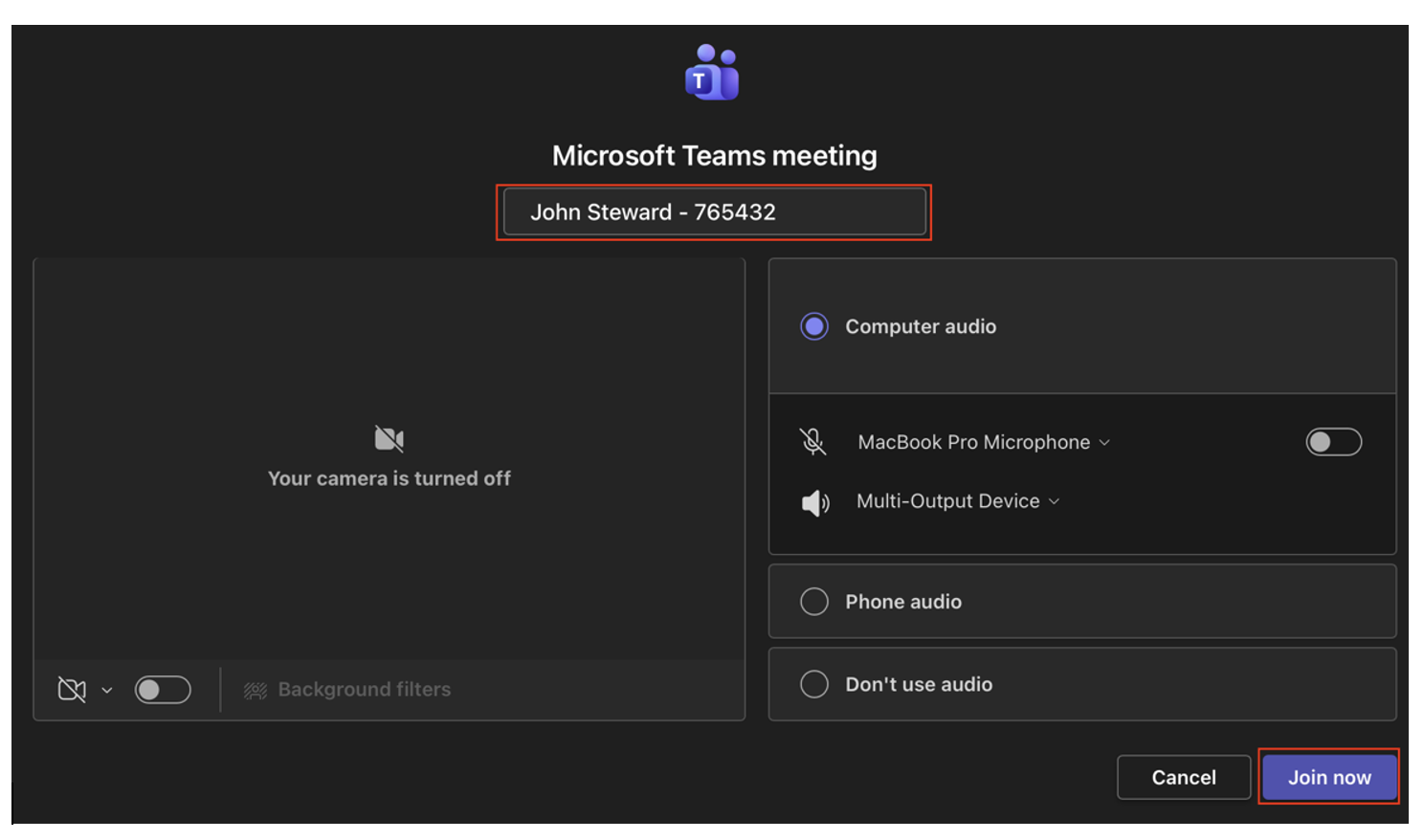
5. Turn on your video and microphone to verify your membership status with the APFA staff member. Once your status has been verified, you’ll be placed into the meeting, and your microphone will be disabled. As if you were attending the meeting in person, please keep your video feed on for the duration of the meeting.** You may need to accept permissions on your device to allow the video and microphone.
In Solidarity,

Josh Black
APFA National Secretary
[email protected]

APFA Headquarters
1004 West Euless Boulevard
Euless, Texas 76040
M-F: 9:00AM - 5:00PM (CT)
Phone: (817) 540-0108
Contract & Scheduling Desk
M-Th: 9:00AM - 5:00PM (CT)
Phone: (817) 540-0108
Live Chat Messaging
Fridays: 9:00AM - 5:00PM (CT)
Currently, no scheduled events...