

Bidding for Red Flag Sequences
TTS and Red Flag
How do I know if Red Flag flying is offered at my base?
You will see a banner on crew portal indicating red flag is open, and you’ll be able to ballot for the sequences in TTS that work for your schedule. Red flag is offered throughout the remainder of the month, not just within today and tomorrow’s operation.
Bidding for Red Flag Trips in TTS
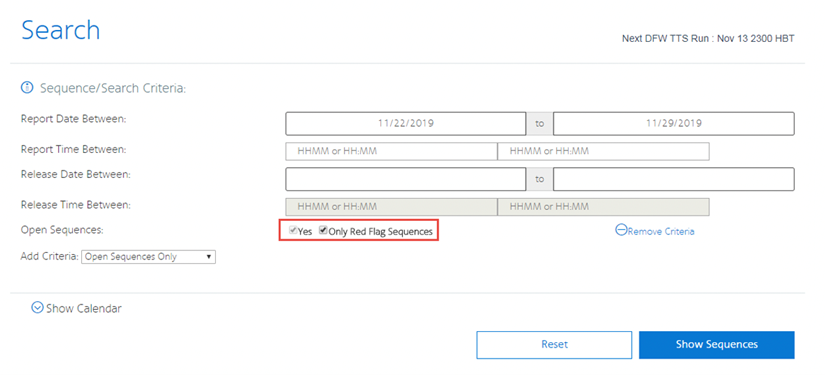
Access TTS, and select the box below to search for Only Red Flag Sequences:
This will display currently Red Flagged Sequences.
Once a sequence has been red flagged in TTS, Crew Scheduling may not remove the red flag designation and its corresponding premium until after 0400 HBT one day prior to the departure of the sequence.
| Transactions will be Awarded | Sequence being Dropped | Sequence being Picked Up | Red Flag Pay Premium |
|---|---|---|---|
| Pickup only | N/A | Red Flag | Yes |
| Trade (all scenarios) | Red Flag | Red Flag | Yes |
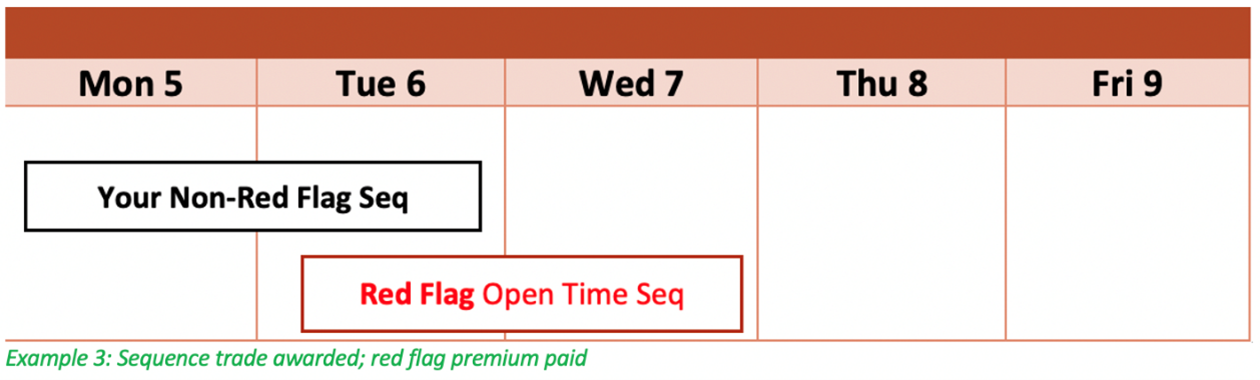
| Trade (no overlap or only overlaps 1 day)* | Non-Red Flag | Red Flag | Yes |
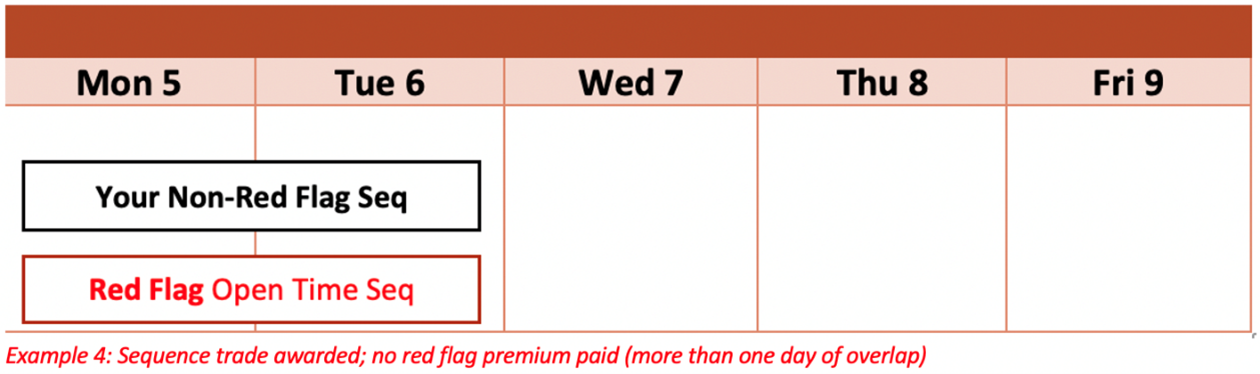
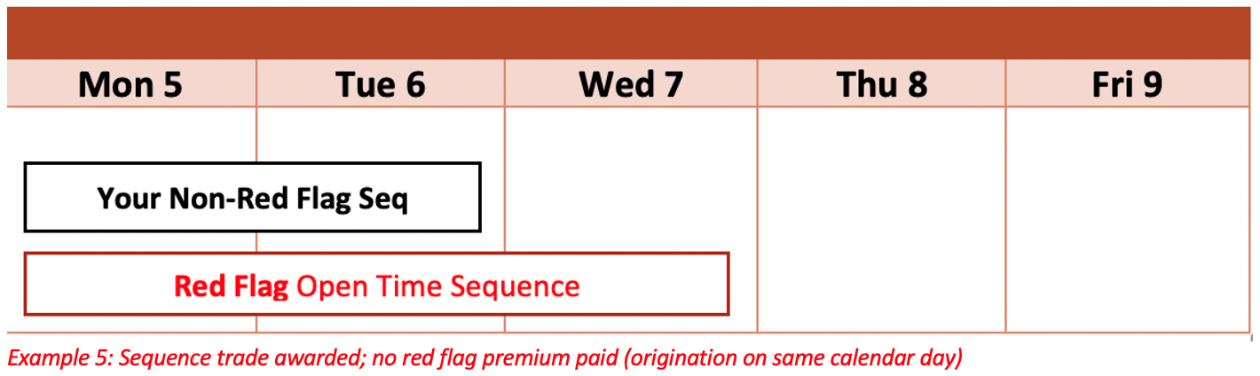
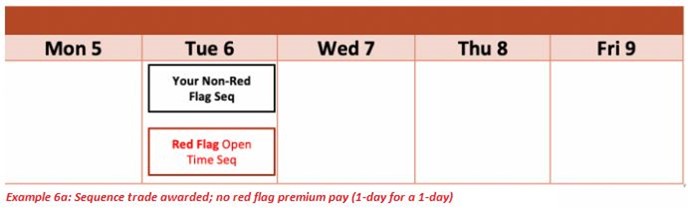
| Trade (1 day for 1 day, same origination date or overlaps 2+ days)* | Non-Red Flag | Red Flag |
Trip will be awarded, but will not pay Red Flag premium |
(Overlap applies to a calendar day (0000 - 2359 HBT))
Bid to Accept a Sequence ONLY If It's Red Flagged
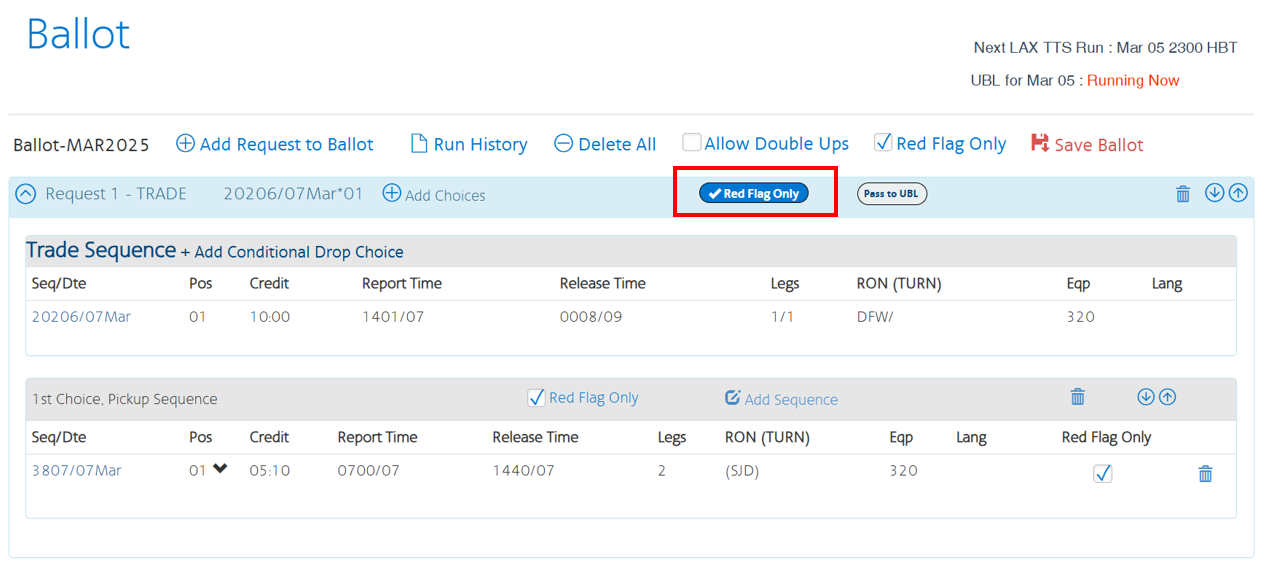
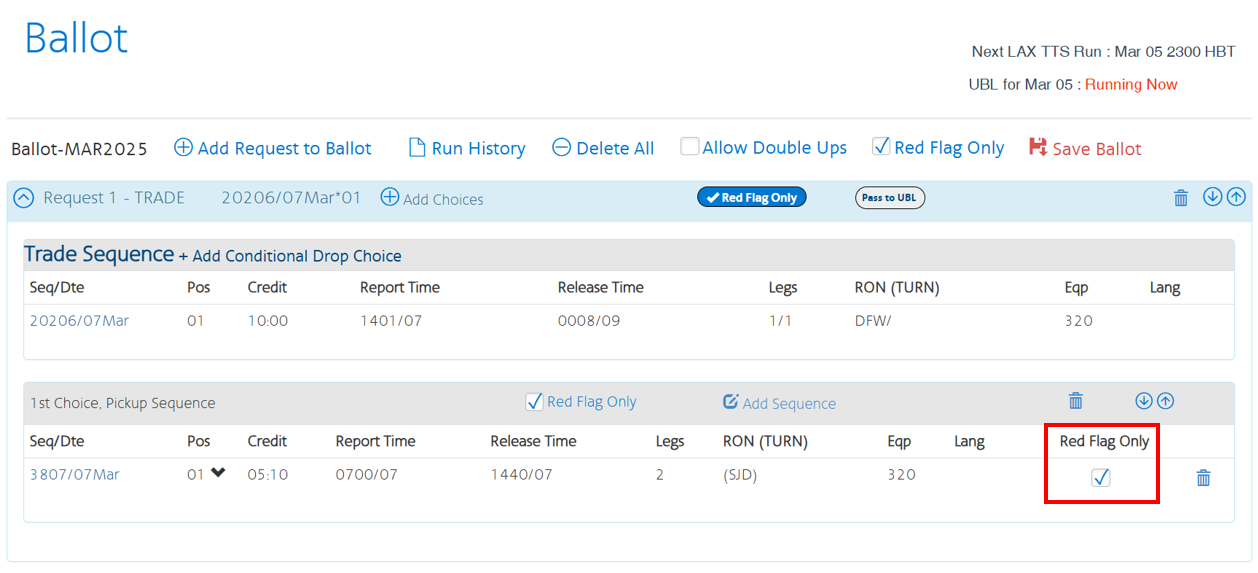
This allows you to bid for a specific sequence that may not be Red Flagged at the time of your bid, but you only want to be awarded if it becomes Red Flagged. You have 3 options to bid for sequences ONLY if they are Red Flagged:
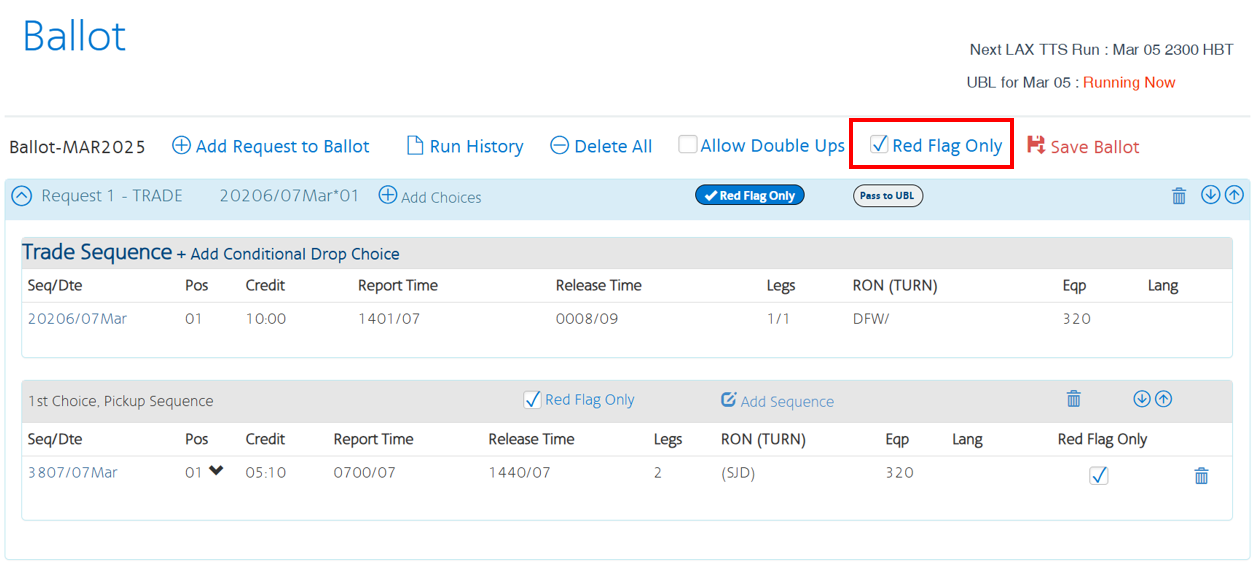
By selecting any of the options below, you are indicating that you will ONLY accept this position and/or sequence if it is Red Flag.
Use this option if you want to be awarded sequences only if the sequence is Red Flagged, applying this requirement to the entire ballot.
TTS and Red Flag Examples
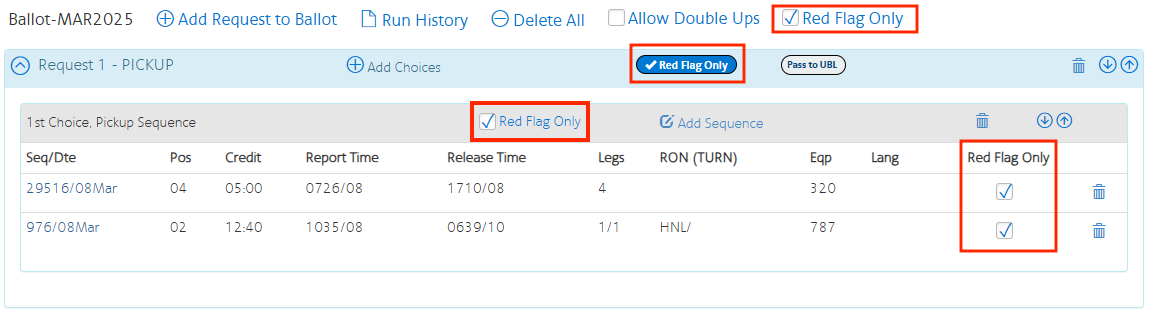
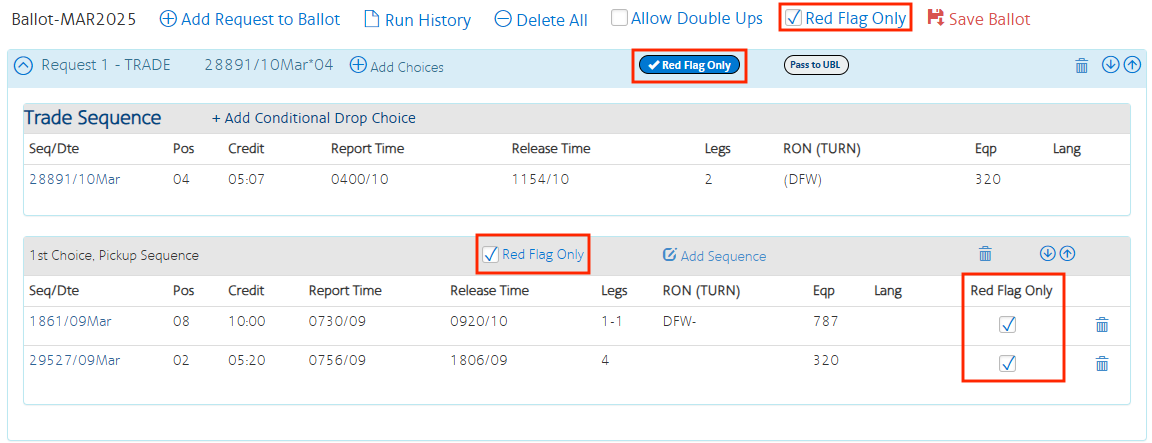
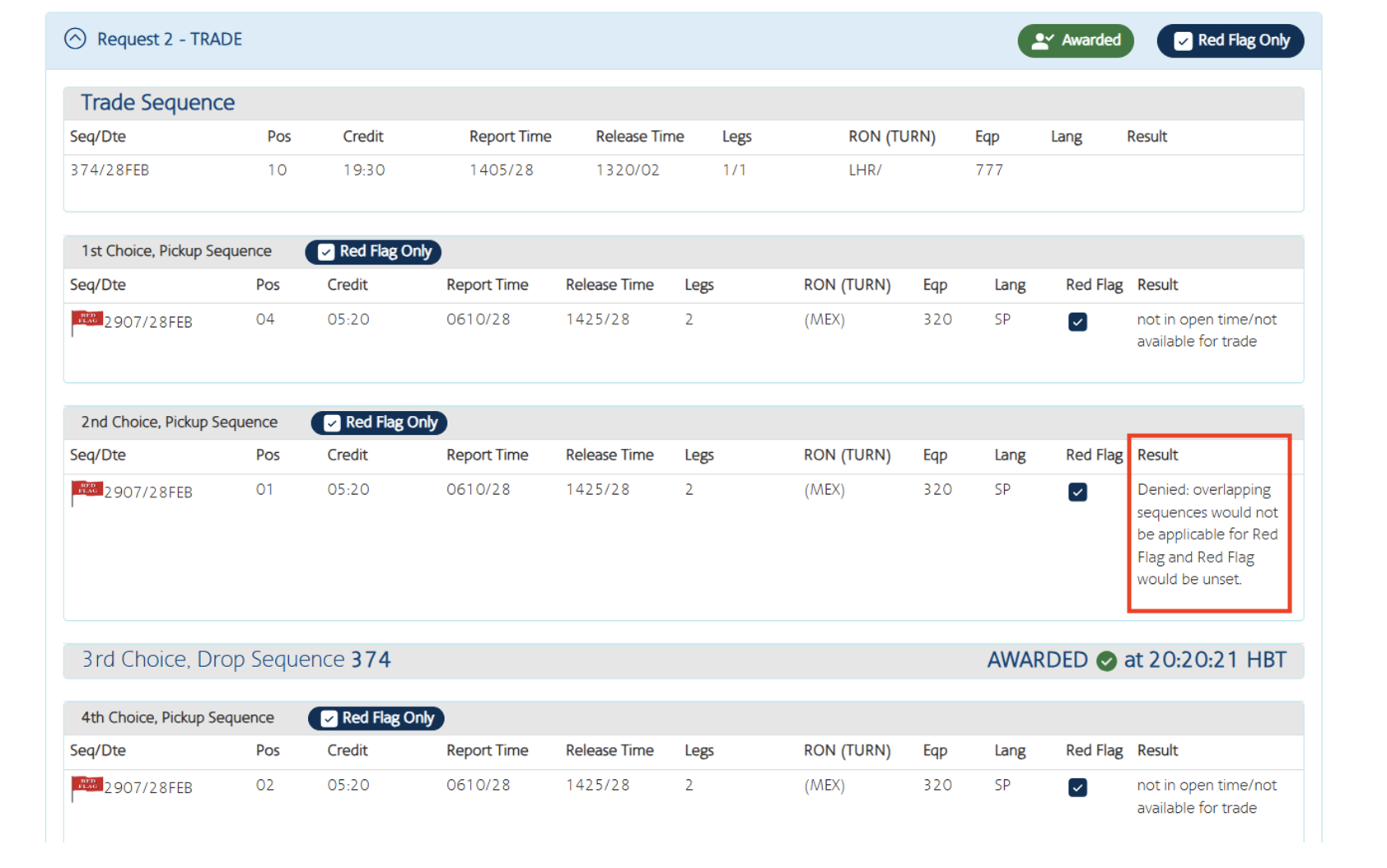
If the sequence is not Red Flag at the time of the TTS or UBL run, you will not receive the sequence, and the reason for the denial will show under the Results in the Run History for your ballot.
Additionally, if this was a TTS trade that would not be eligible to trade into Red Flag due to the sequence overlap (CBA 10.H.7), the trade will be denied with the Result explaining the award would not have retained the Red Flag pay.
More Red Flag Pickup and Trade Examples
The following examples of picking up and trading red-flagged sequences with sequences already on your schedule illustrate when you will receive the red flag pay premium. Please remember, trades within TTS may be subject to daily and monthly open time limits.
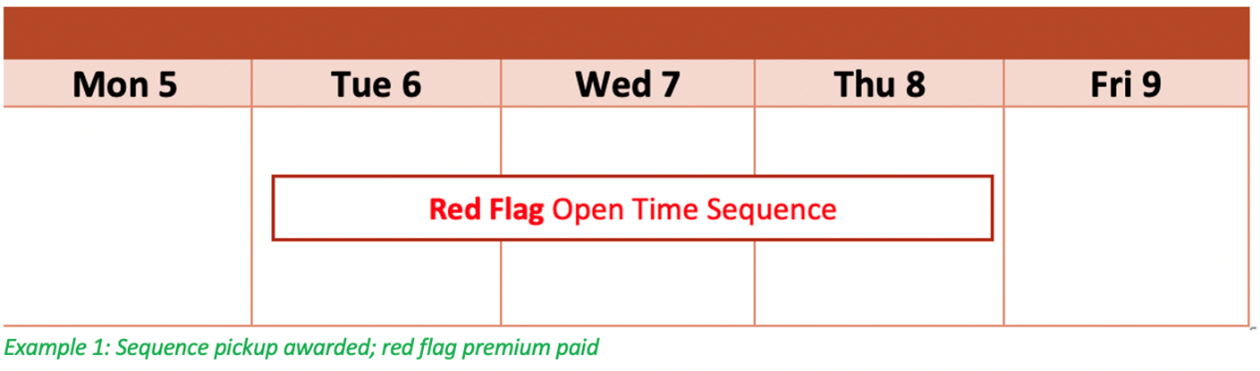
TTS/UBL: Pick-up Only
In this straightforward example, the pickup is Awarded and red flag premium paid.
TTS: Trading a Non-Red Flagged Sequence with a Red Flagged Sequence

Example 2: No overlap between traded sequences
Example 3: Sequence overlap by 1 day
Example 4: Sequence overlap of more than 1 day and same origination day
Example 5: Trade with origination on same calendar day
Example 6a: Trade 1 day for 1 day, same origination day
Example 6b: Trade 1 day for 1 day, different origination day
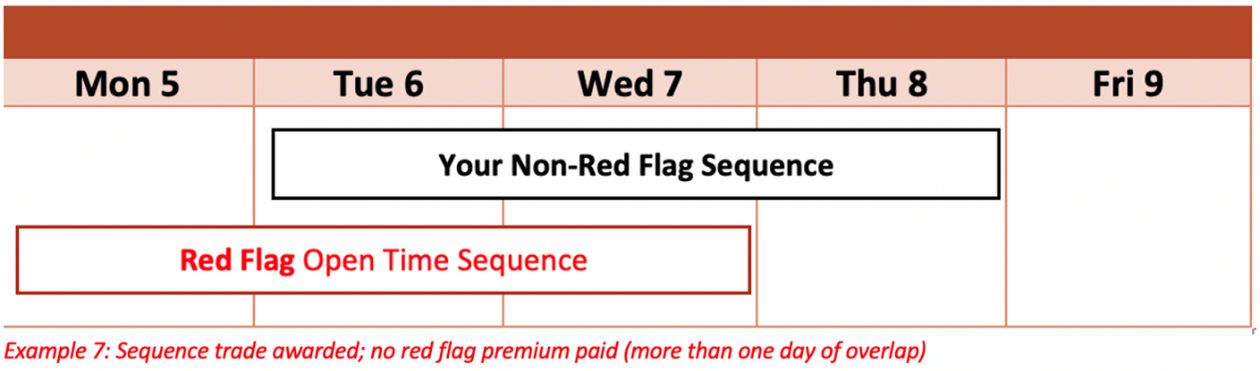
Example 7: Sequence with more than 1 day of overlap
In this example, the trade is awarded and red flag premium is paid.

TTS: Trading a Red-Flagged Sequence With Another Red-Flagged Sequence
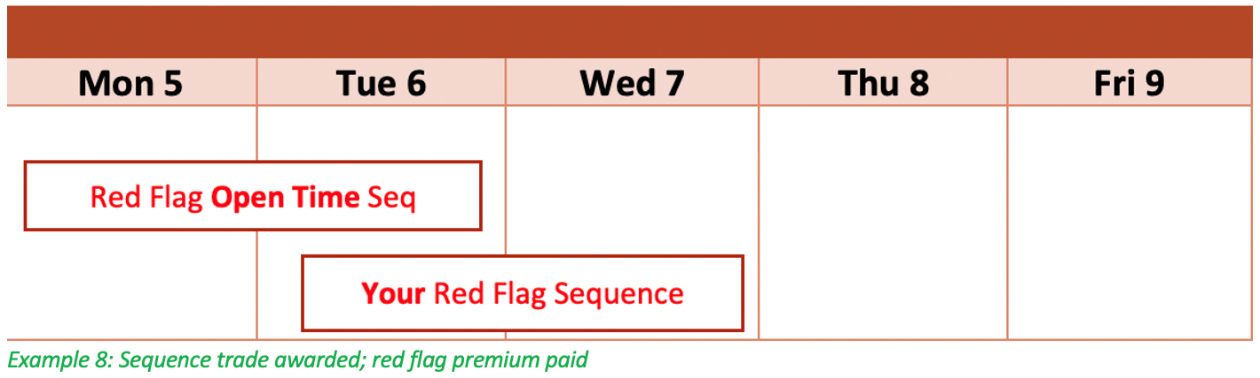
When trading a red-flagged sequence with another red-flagged sequence in TTS, you will maintain the red flag premium pay for the sequence into which you trade.

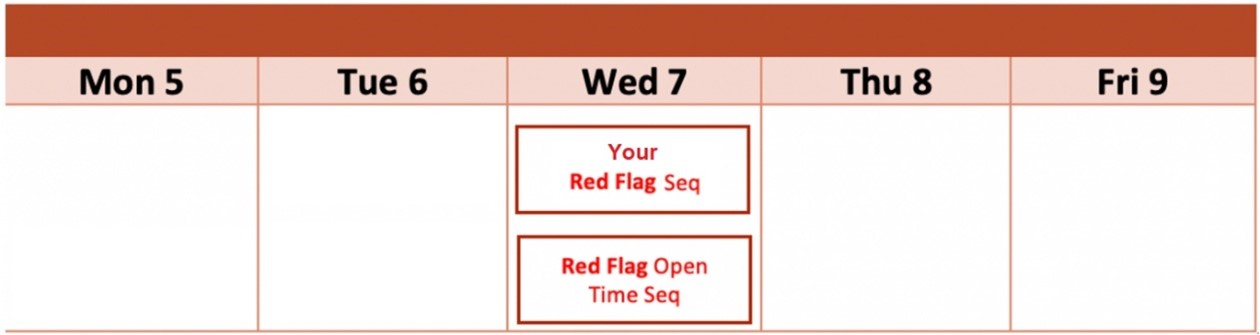
Example 8: Your Red Flag Sequence for another Red Flag Sequence
Example 9: More than one day overlap and origination same day
Example 9.1: Turn for Turn, Same Origination Day
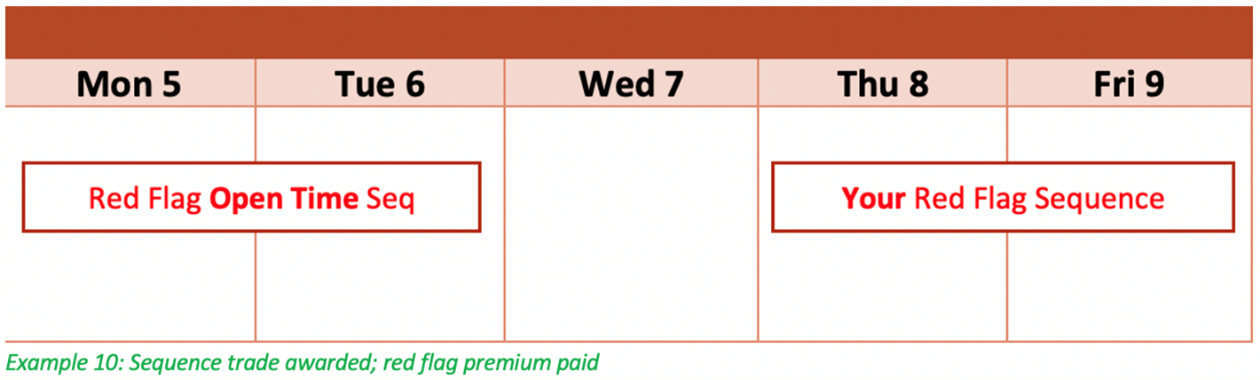
Example 10: Trade for Sequence with no overlap on another origination day
In this example of trading your Red Flag for another Red Flag, the trade is awarded and red flag premium is paid.
ROTA / ROTD Red Flags
You can call out of time and be released from your remaining available reserve days if you are within five (5) hours of your monthly maximum. If you would like to pick up additional flying in ROTA or ROTD on these released days, advise Crew Scheduling so they can recode these as GDs.
If you have called out of time and requested a release from Crew Scheduling, or are on days off, you may bid for and be awarded Red Flag sequences through ROTA or ROTD.
Reserves who have not called out of time may be awarded one trip that brings them above their monthly maximum; however red flag premiums are only paid on trips awarded to Reserves who have been released or on days off.
You may bid red flag generic sequences or specific sequences in ROTA or ROTD. Use the Red Flag filter to search for specific red flag sequences, or include only red flag sequences in a generic bid.
ROTA Red Flag Opportunities
From the Reserve Bidding page:
- Select Pick Up on FD/GD Bids
- Be sure to apply any required waivers
- Choose the date
- Add New Bid
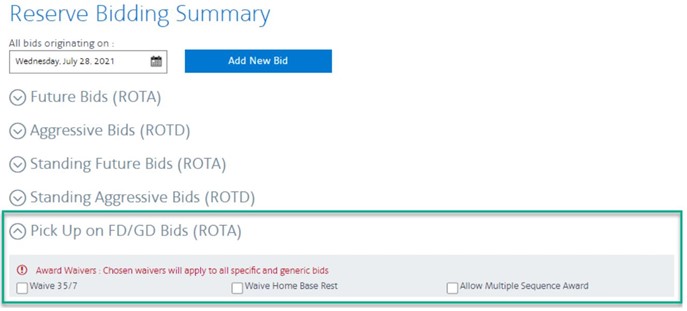
Select the Pick Up on FD/GD Bids tab
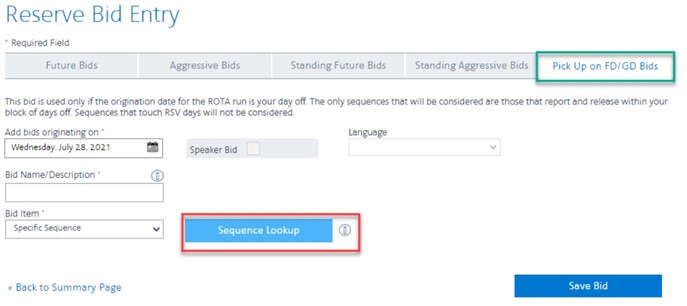
ROTD Red Flag Opportunities
From the Reserve Bidding page:
- Select Aggressive Bids (ROTD)
- Add the waiver Award into FD/GD (even if you are bidding to be awarded on a day off)
- Add any additional waivers required
- Choose the date
- Add New Bid
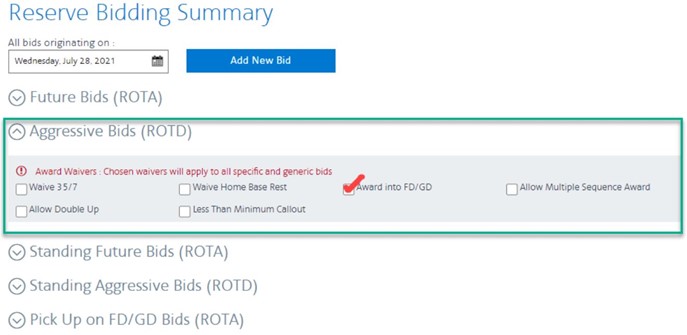
Select the Aggressive Bids tab
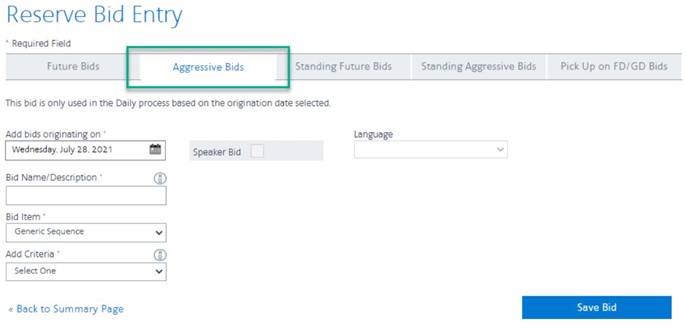
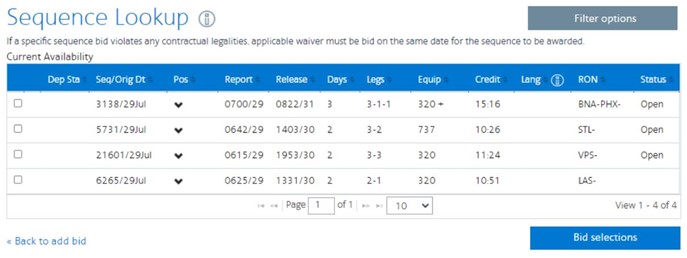
When searching for specific sequences, use the Filter options to select red flag sequences.
Unlike TTS, the filter results will not show a red flag icon, however, only sequences/positions with the red flag premium will populate.
Important Notes on Red Flag
- If you call in sick for a red-flagged trip, you will only be paid the trip’s value, not the red flag premium.
- Trading or picking up red-flagged sequences will increase or decrease your TTS Max by the trip’s value.
- Reserve Flight Attendants may pick up red-flagged sequences that originate and terminate on a day off using the ROTA/D system.
- If you trade the sequence on the ETB, the red flag pay will stay with the sequence. If you want to trade positions after being awarded the sequence, you must use the position seat swap available in Crew Portal after report to retain red flag premium pay.
- TTS awards in seniority order, utilizing all open and balloted sequences, regardless of where they are ranked on a ballot. Because of this, you may be awarded a lower-ranked, non-red flagged trip to satisfy a more senior Flight Attendant’s request.
- For bases other than BOS/DCA, you may have up to seven requests (BOS/DCA up to 15 requests) and each of these requests may have up to 200 choices on your ballot. Only one sequence/position per request can be awarded. All sequences/positions in a choice are considered equally. If you prefer a red-flagged sequence/position over a non-red flagged sequence/position, sequences should be saved as separate choices.
- All positions on a sequence may not be red-flagged. Please make sure you expand the positions in TTS to see which positions are red-flagged.

APFA Headquarters
1004 West Euless Boulevard
Euless, Texas 76040
M-F: 9:00AM - 5:00PM (CT)
Phone: (817) 540-0108
Contract & Scheduling Desk
M-Th: 9:00AM - 5:00PM (CT)
Phone: (817) 540-0108
Live Chat Messaging
Fridays: 9:00AM - 5:00PM (CT)
Currently, no scheduled events...
APFA Headquarters
1004 West Euless Boulevard
Euless, Texas 76040
M-F: 9:00AM - 5:00PM (CT)
Phone: (817) 540-0108
Contract & Scheduling Desk
M-Th: 9:00AM - 5:00PM (CT)
Phone: (817) 540-0108
Live Chat Messaging
Fridays: 9:00AM - 5:00PM (CT)
Currently, no scheduled events...
APFA Headquarters
1004 West Euless Boulevard
Euless, Texas 76040
M-F: 9:00AM - 5:00PM (CT)
Phone: (817) 540-0108
Contract & Scheduling Desk
M-Th: 9:00AM - 5:00PM (CT)
Phone: (817) 540-0108
Live Chat Messaging
Fridays: 9:00AM - 5:00PM (CT)
Currently, no scheduled events...