

8.21.25 – Contract Implementation Update #35: Running Reserve Report (CBA 12.Q. 1-7) Implemented
Thursday, August 21, 2025
Contract Implementation Update #35
Running Reserve Report
CBA 12.Q. 1-7
CBA 12.Q.1 through 7 has been implemented as of the evening of August 20th, 2025. This new report is called the Running Reserve Report and is a live report that pulls real-time data.
This report is available prior to ROTA running as well as after ROTA has run.
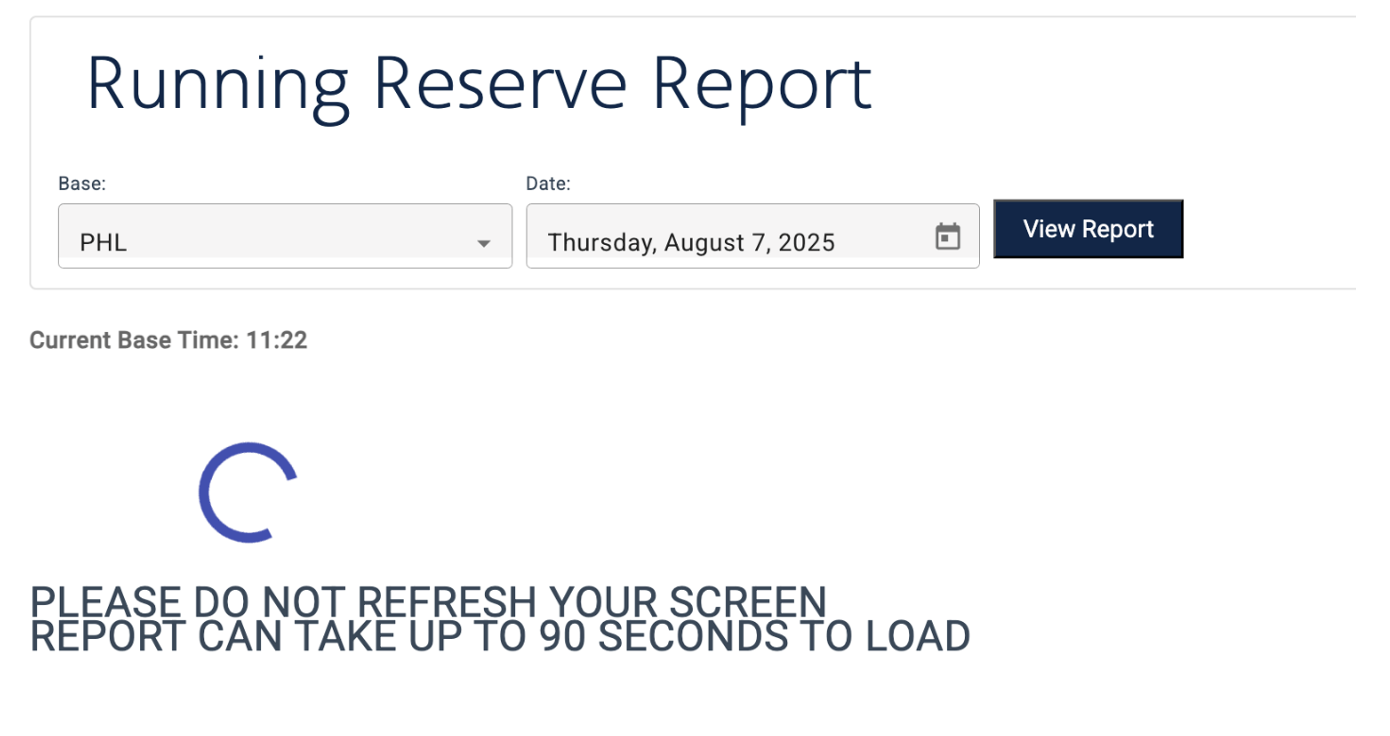
This report is available on Crew Portal > Reserves > Running Reserve Report. Just like the Daily Callout Report, select your desired base and date to view. When you click View Report, the report will pull real-time information and may take up to 90 seconds to display.
click all images to enlarge
This report will display every Reserve available for the selected base and date. Prior to ROTA running, you will see each available Reserve without RAP information. The report will display:
- Days available
- ASG “Clicks”
- Seniority
- Employee ID
- Speaker qualification
- Name
- RSVCOT (calling out of time) hours
- Previous activity
- Previous activity release time
- Number of days available to be assigned (available days and flex days)
- Flex days
Having this information prior to ROTA running will allow a Flight Attendant to better understand the upcoming day and be able to bid accordingly.
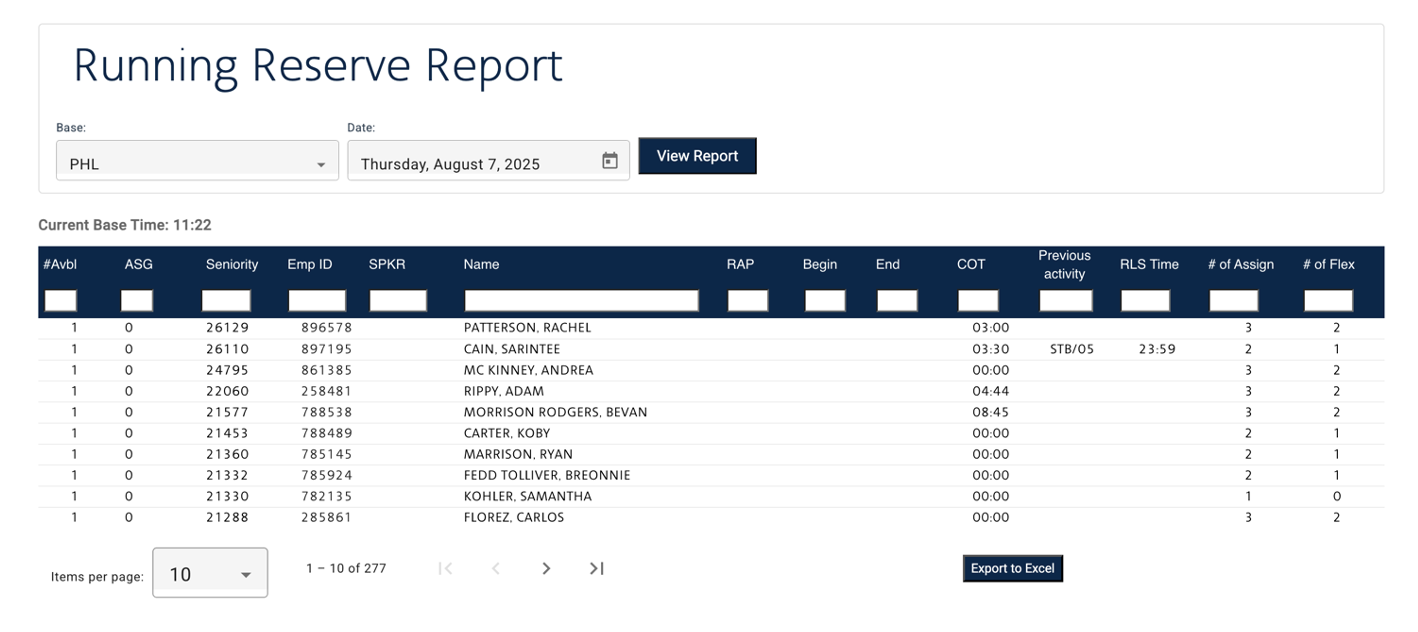
Pictured above: Example of the Running Reserve Report prior to ROTA running
After ROTA runs, the report will display RAP information in addition to the information listed above.
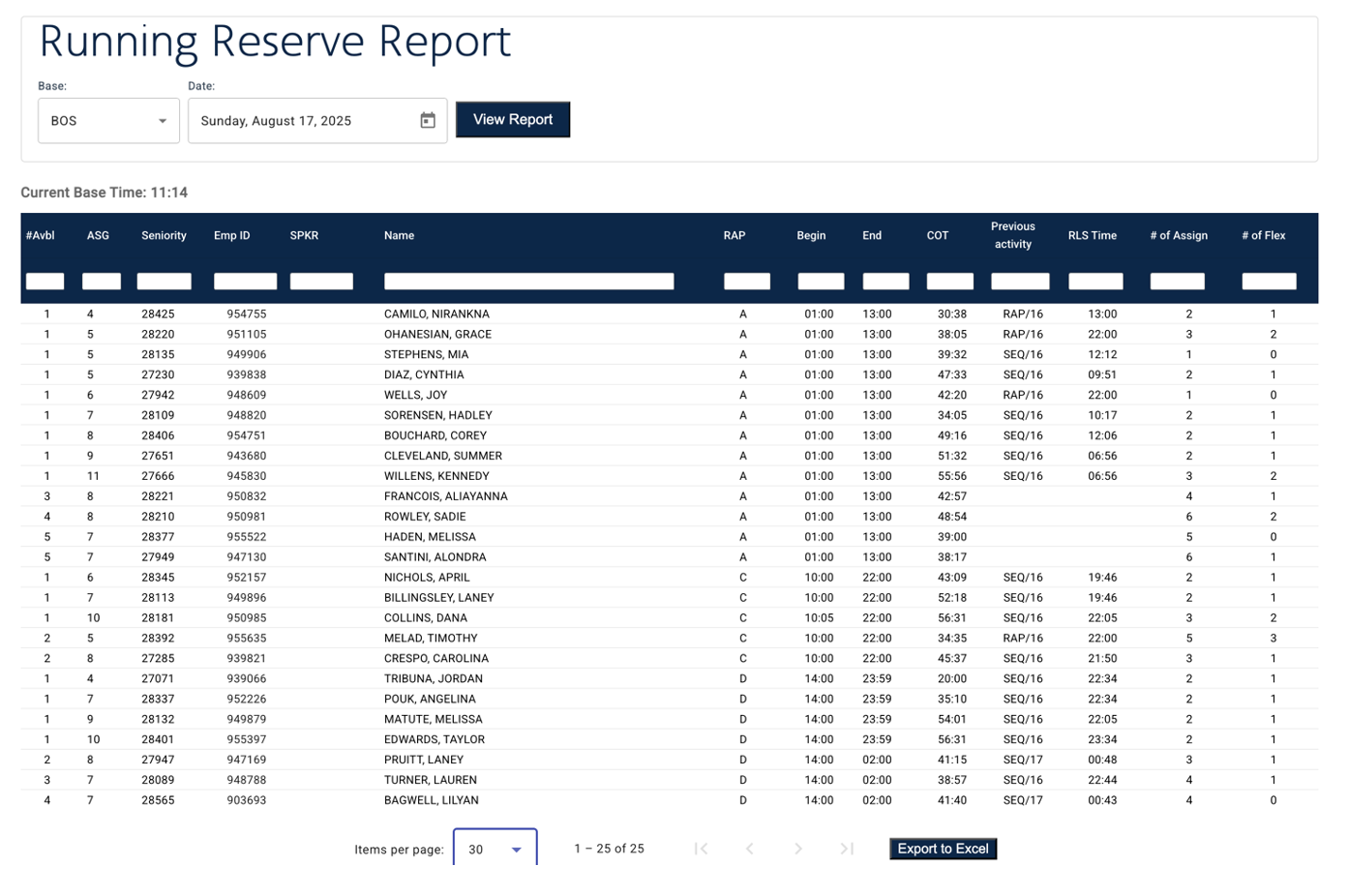
Pictured above: Example of the Running Reserve Report after the ROTA run.
The report may be filtered by each column as well as exported to Excel, if desired. By default, the report is sorted by days available, ASG “clicks”, and then seniority to reflect assignment order.
As a Flight Attendant is given a sequence, Standby, or otherwise becomes unavailable, they will be removed from the Running Reserve Report.
Special note for the end of the month:
At the end of the contractual month, a Reserve may be assigned into their Line month. To provide better clarity, the # of Assign column will display the number of available Reserve days and Lineholder off-days up to six (6) days into the future. When a Flight Attendant views the report at the end of the month, the default order may not reflect actual callout order, but the information will display accurately to allow a Flight Attendant to gauge the upcoming assignment order.
Daily Callout Report Remains Unchanged
The Daily Callout Report is still available and there have been no changes. While an assigned/unavailable Reserve will be removed from the Running Reserve Report, they will still display on the Daily Callout Report as they did previously.
In Unity,
Kelly J. Hagan
LGA
Hunter Meredith
PHL
Wendy Oswald
LAX
Mike Sosa
DFW

APFA Headquarters
1004 West Euless Boulevard
Euless, Texas 76040
M-F: 9:00AM - 5:00PM (CT)
Phone: (817) 540-0108
Contract & Scheduling Desk
M-Th: 9:00AM - 5:00PM (CT)
Phone: (817) 540-0108
Live Chat Messaging
Fridays: 9:00AM - 5:00PM (CT)
Currently, no scheduled events...