

2.05.26 – Contract Implementation Update #50: ECS Updates (Version 2.8)

Thursday, February 5, 2026
Contract Implementation Update #50
ECS Updates (Version 2.8)
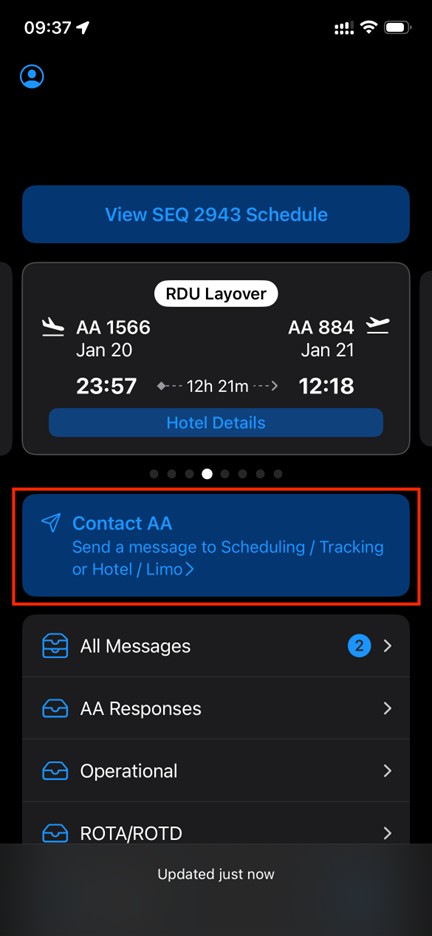
Version 2.8 of ECS is now live and an additional option and an update to contact Crew Scheduling have been added to Contact AA.
ASG Click Adjustment
CBA 12.L.2 allows a Reserve to request an adjustment to their ASG clicks if a sequence has more or less days, actually flown, than originally scheduled. Originally available via a Comply365 form, this has now moved to ECS.
For more information on ASG Clicks, visit APFA.org.
After selecting Contact AA, select ASG Click Adjustment.
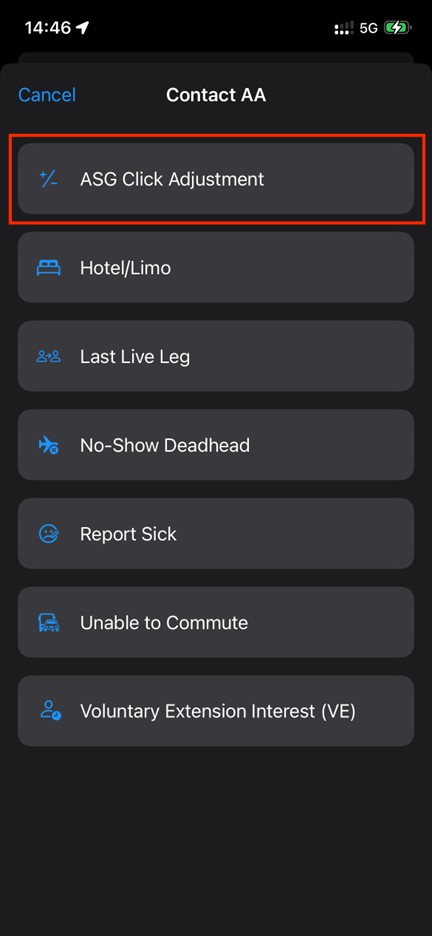
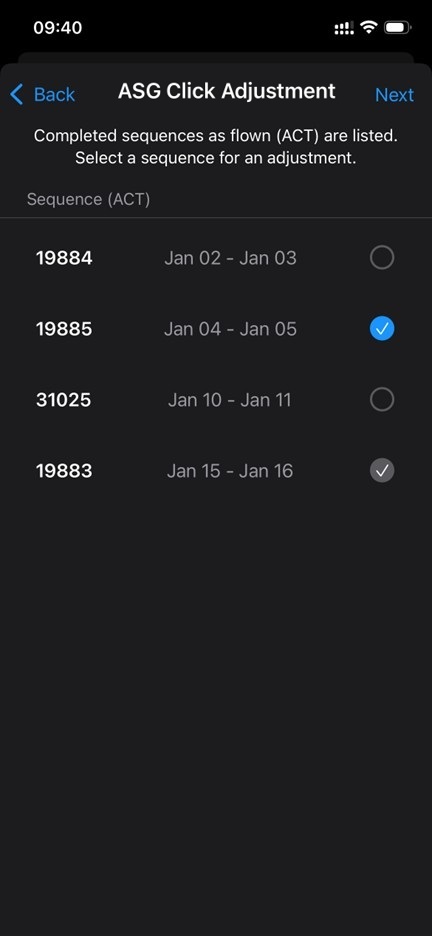
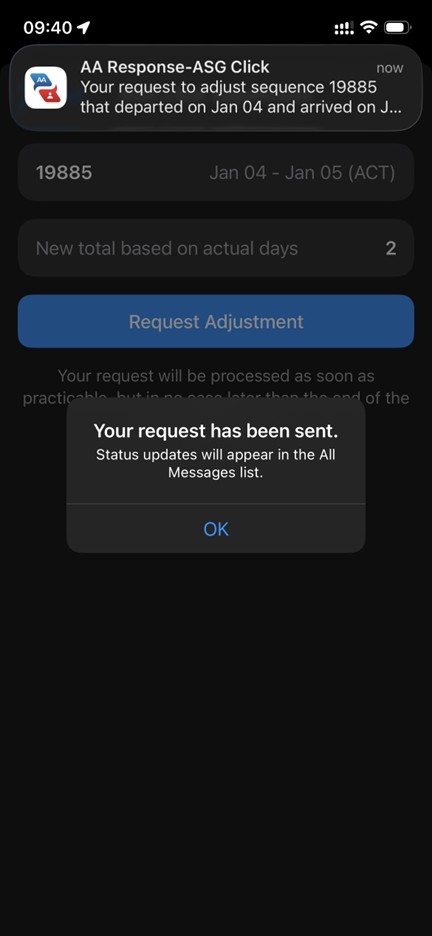
Your sequences for the contractual month will appear. A sequence already submitted and currently being processed will have a gray checkmark. Select the sequence you are requesting an ASG Click Adjustment for and tap next. The new total will automatically populate based on the actual number of calendar days the sequence touched. Confirm the information is what you would like to submit and tap Request Adjustment.
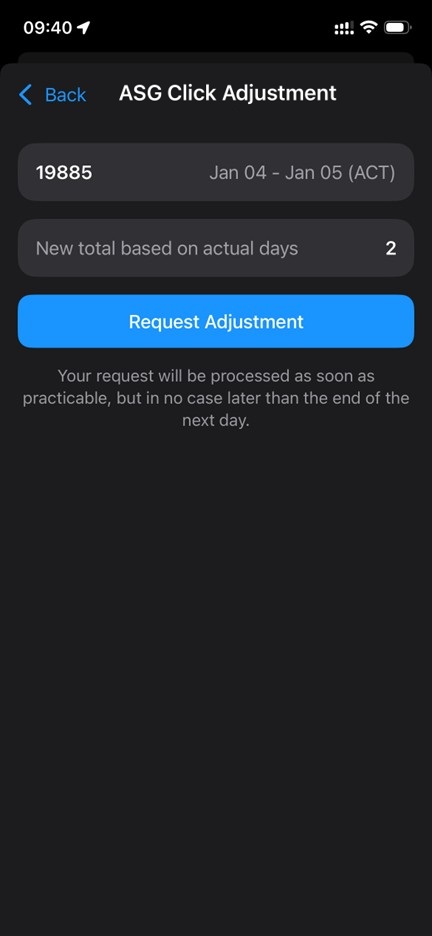
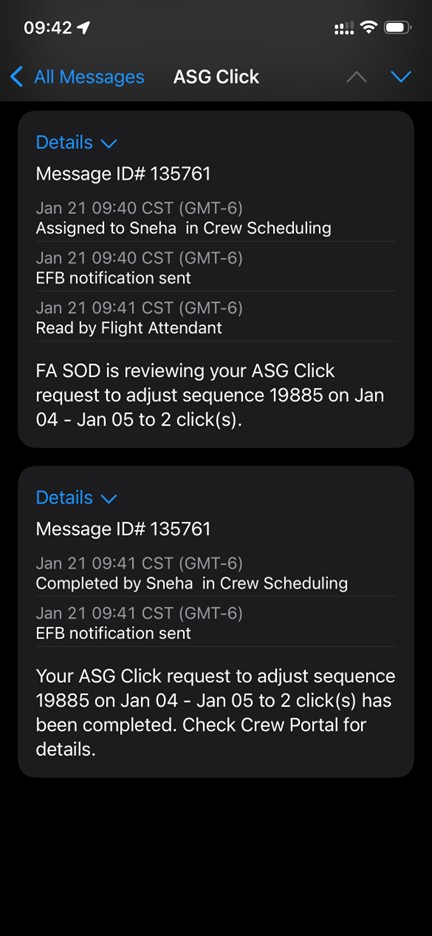
The confirmation box will show, and you will be able to view the message history in your All Messages and AA Responses inboxes.
Sick Update
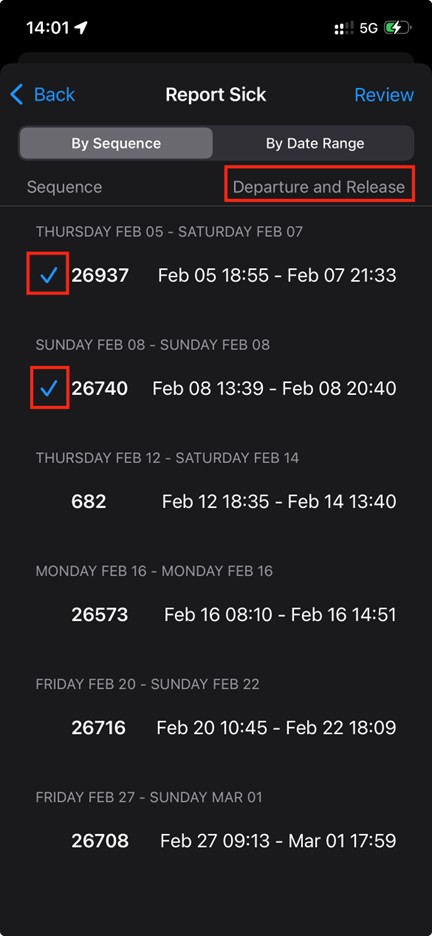
One minor change you will see is the verbiage for Report Sick now displays Departure and Release times (previously Report and Release time). Since you may now use ECS to report sick up until departure of your first leg of the sequence, this was updated to show that time. Additionally, when selecting a sequence you will now see a check mark on the left of the selected sequences.
In Unity,
Kelly J. Hagan
LGA
Hunter Meredith
PHL
Wendy Oswald
LAX
Mike Sosa
DFW
APFA Headquarters
1004 West Euless Boulevard
Euless, Texas 76040
M-F: 9:00AM - 5:00PM (CT)
Phone: (817) 540-0108
Contract & Scheduling Desk
M-Th: 9:00AM - 5:00PM (CT)
Phone: (817) 540-0108
Live Chat Messaging
Fridays: 9:00AM - 5:00PM (CT)
Currently, no scheduled events...