

9.26.25 – Contract Implementation Update #42: Implementation Updates to CBA Section 10: Scheduling
Friday, September 26, 2025
Contract Implementation Update #42
Updates to Section 10: Scheduling
<click all images below to enlarge>
In this update, we will cover:
- 10.G.2.j – ETB Sequences on Pay Protected Days
- 10.J.11.b – Sequence Cancellation Within 3 Hours of Report
- 10.P.2 – Last Live Leg ECS
ETB Sequences on Pay Protected Days
Beginning with the October contractual month, a Lineholder and Reserve with a pay protected removal may pick up a sequence from ETB outside of the footprint of the original sequence without negating the pay protection.
Example 1:
- A Lineholder is removed from a sequence due to illegal through no fault that releases at 1400 HBT on the 10th. The Lineholder will be able to pick up a sequence that reports at 1401 HBT or later on the 10th without negating pay protection.
Example 2:
- A Reserve’s ETB trip on their last block of days off cancels in its entirety and is covered by Last Sequence pay protection (CBA 10.L). The pay protected sequence was scheduled to release at 1700 HBT on the 29th. The Reserve may use ETB to pick up a sequence that reports at 1701 HBT or later on the 29th without negating pay protection.
Sequence Cancellation Within 3 Hours of Report
When a Flight Attendant is notified less than three (3) hours prior to report that their trip has been cancelled in its entirety, the Flight Attendant will be paid three (3) hours flight time pay, no credit regardless of whether the Flight Attendant reported to the airport. This is a change from previously where the Flight Attendant would have to inform Crew Scheduling that they had already departed for the airport.
Last Live Leg ECS
The option to drop or pick up a Last Live Leg will be available in ECS starting on October 1, 2025. To drop your Last Live Leg, the Flight Attendant dropping must have blocked in from their previous leg and it must be within 24 hours of the departure of the Last Live Leg. The Flight Attendant dropping must submit their request first before the Flight Attendant submits their pick up request in ECS. The requests will be matched and sent to Crew Tracking and Crew Tracking shall make every attempt to complete the request within 15 minutes.
In the rare circumstance that you need to drop to a different Flight Attendant than you originally submitted, the dropping Flight Attendant must submit a new drop request. Only the most recent drop request will be valid to be matched with another Flight Attendant.
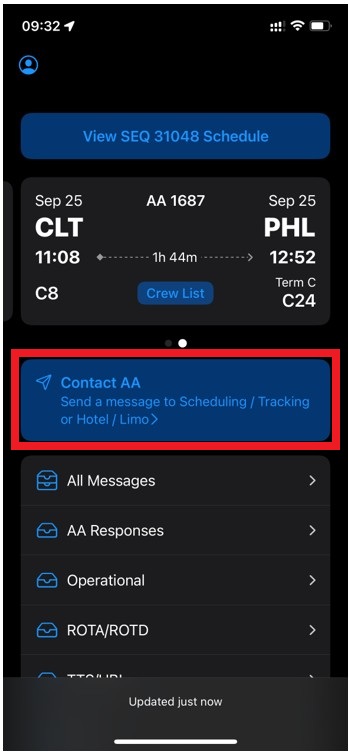
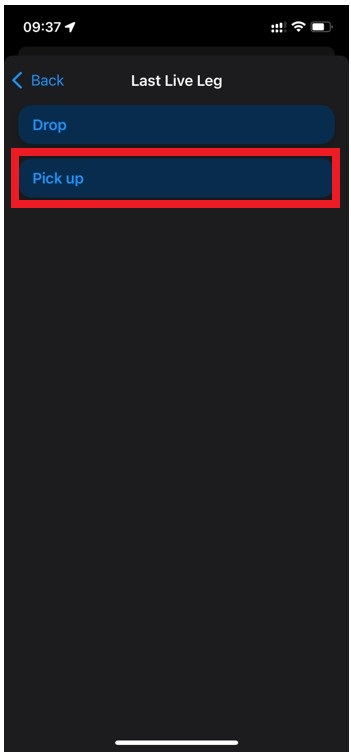
To use the Last Live Leg function, select “Contact AA” from the ECS home page and then select Last Live Leg.
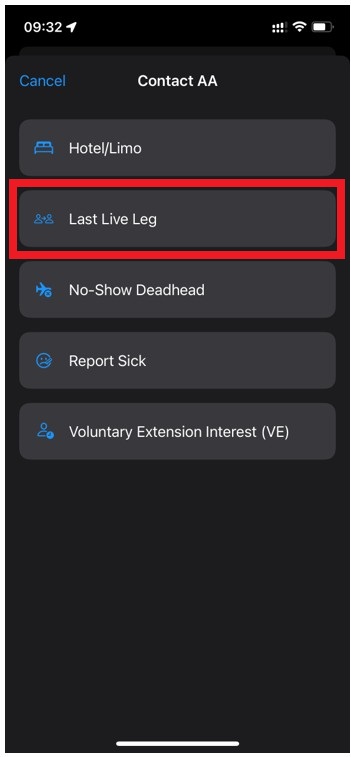
If you are the Flight Attendant dropping, select “Drop”.
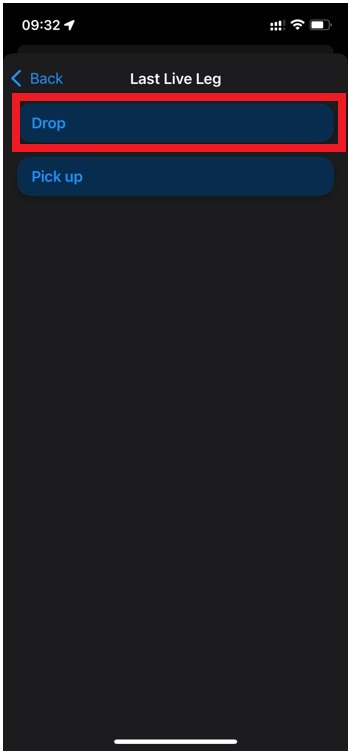
ECS will automatically show the eligible sequence to drop your Last Live Leg. Enter the employee ID of the Flight Attendant picking up your Last Live Leg and tap “Review”. ECS will validate that this is a correct employee number. Ensure the information is correct and tap “Submit LLL Drop Request”. You will be prompted to confirm your submission.
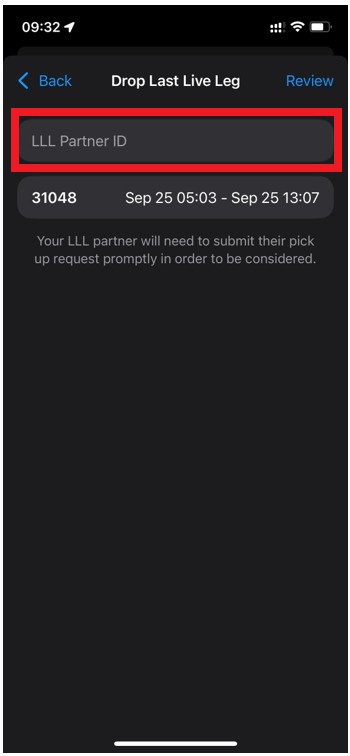
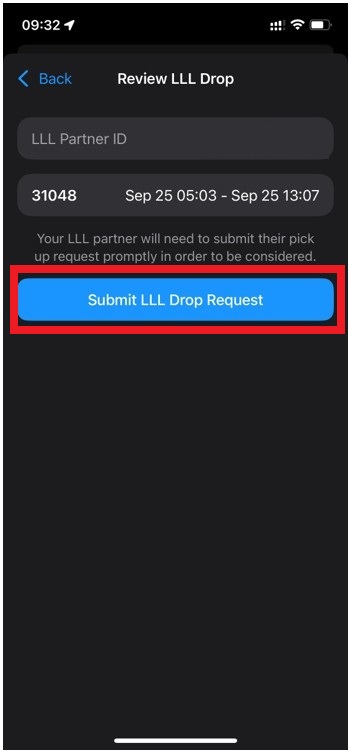
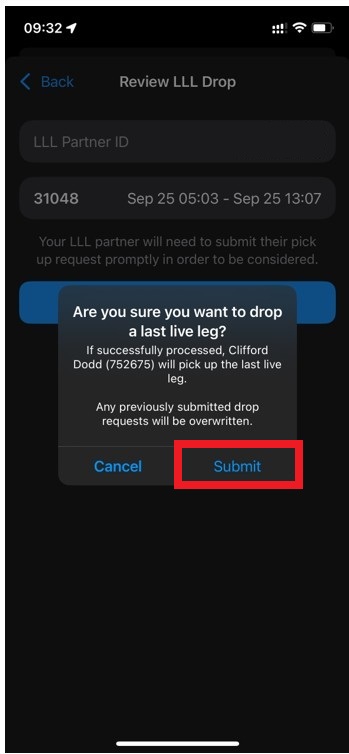
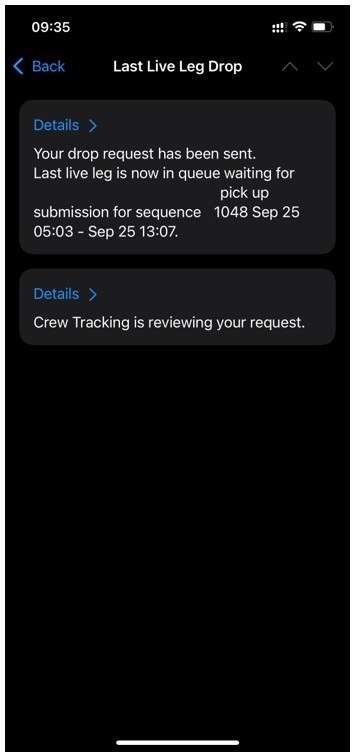
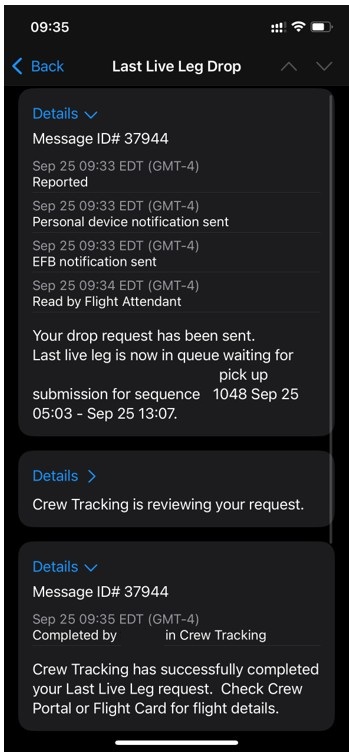
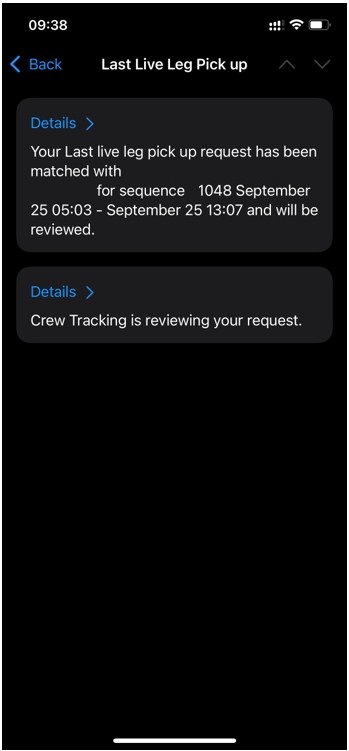
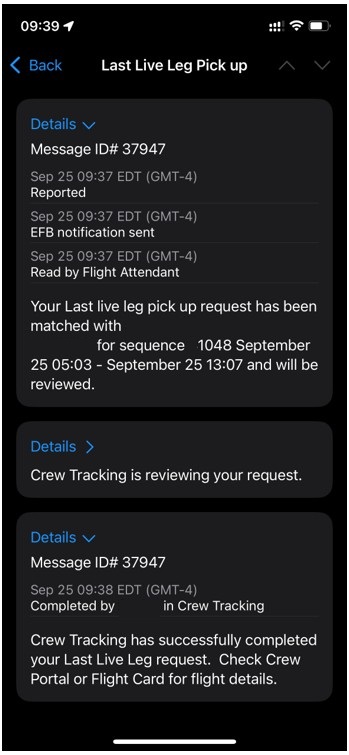
The message will then enter a queue until the Flight Attendant who is picking up your Last Live Leg has submitted their request. Once they submit, the requests will be matched and sent to Crew Tracking. You will receive updates when Crew Tracking begins working on the request as it is completed. If the request is not able to be processed, you will receive a denial message. Should you need further information on a denial, contact Crew Tracking.
Your submission and Responses will be available in the All Messages and AA Responses inbox. Tap “Details” to view timestamps and more information.
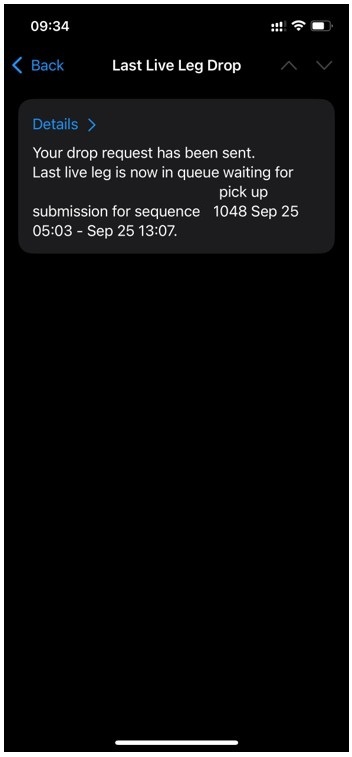
If you are picking up a Last Live Leg, select “Pick up”.
Enter the employee ID of the Flight Attendant you are picking up a Last Live Leg from and tap “Review”. ECS will validate that this is a correct employee number. Ensure the information is correct and tap “Submit LLL Pick Up Request”. You will be prompted to confirm your submission.
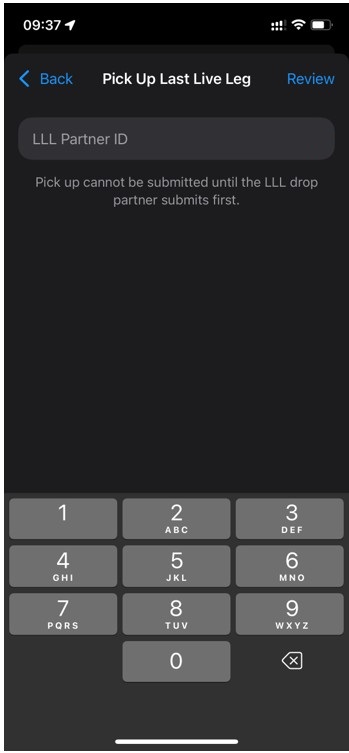
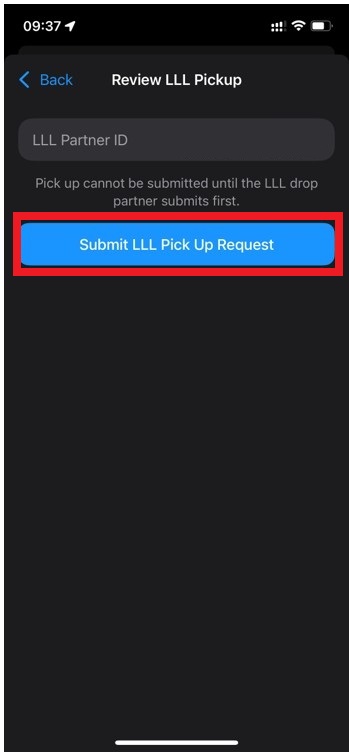
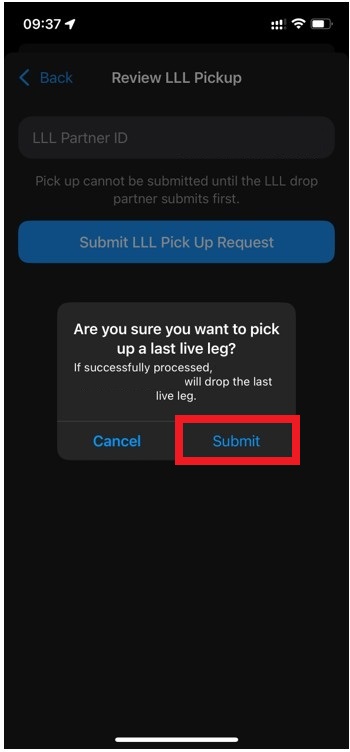
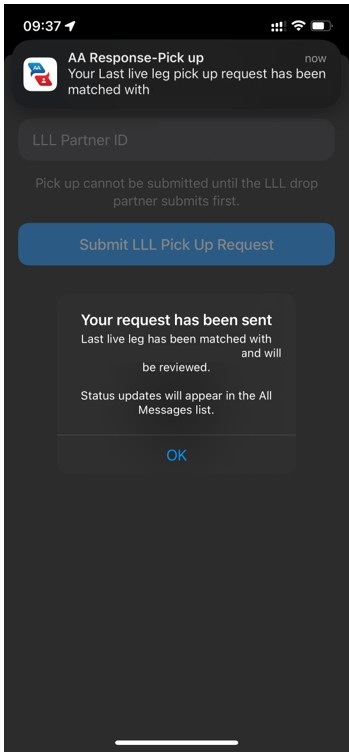
If ECS is unable to match your request, reach out to the Flight Attendant you are trying to pick up from to ensure they have entered the correct information to match with your employee ID. The requests will be matched and sent to Crew Tracking. You will receive updates when Crew Tracking begins working on the request as it is completed. If it cannot be processed, you will receive a denial message. Should you need further information on a denial, contact Crew Tracking.
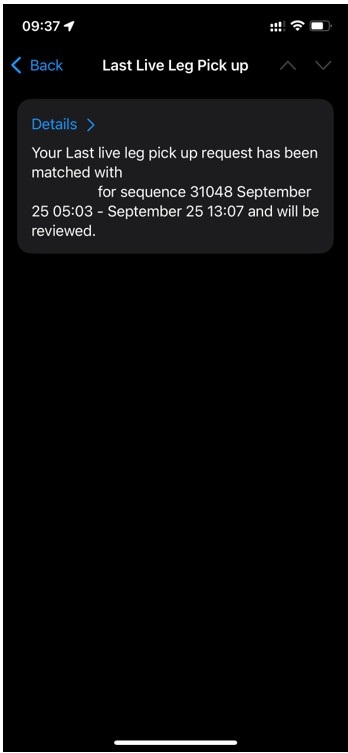
Your submission and Responses will be available in the All Messages and AA Responses inbox. Tap “Details” to view timestamps and more information.
In Unity,
Kelly J. Hagan
LGA
Hunter Meredith
PHL
Wendy Oswald
LAX
Mike Sosa
DFW

APFA Headquarters
1004 West Euless Boulevard
Euless, Texas 76040
M-F: 9:00AM - 5:00PM (CT)
Phone: (817) 540-0108
Contract & Scheduling Desk
M-Th: 9:00AM - 5:00PM (CT)
Phone: (817) 540-0108
Live Chat Messaging
Fridays: 9:00AM - 5:00PM (CT)
Currently, no scheduled events...
APFA Headquarters
1004 West Euless Boulevard
Euless, Texas 76040
M-F: 9:00AM - 5:00PM (CT)
Phone: (817) 540-0108
Contract & Scheduling Desk
M-Th: 9:00AM - 5:00PM (CT)
Phone: (817) 540-0108
Live Chat Messaging
Fridays: 9:00AM - 5:00PM (CT)
Currently, no scheduled events...
APFA Headquarters
1004 West Euless Boulevard
Euless, Texas 76040
M-F: 9:00AM - 5:00PM (CT)
Phone: (817) 540-0108
Contract & Scheduling Desk
M-Th: 9:00AM - 5:00PM (CT)
Phone: (817) 540-0108
Live Chat Messaging
Fridays: 9:00AM - 5:00PM (CT)
Currently, no scheduled events...